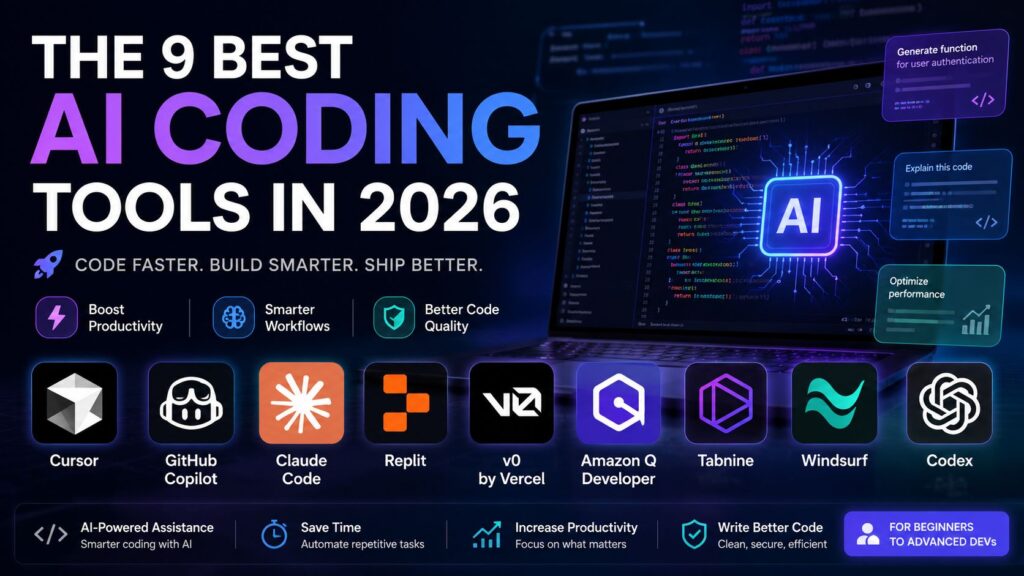
H1: The 9 Best AI Coding Tools in 2026
H2: The best AI coding assistant for advanced code quality and review workflows
H3: Qodo
https://matrixviral.com/wp-admin/post.php?post=202&action=editQodo is designed for teams that care deeply about code quality, testing, and compliance. Unlike general-purpose AI coding tools, Qodo focuses on engineering discipline inside the delivery pipeline.
It is not just a code generator — it acts like an AI-powered code reviewer and quality gatekeeper.
- Pre-merge code review automation
- Test generation and coverage improvement
- Security and compliance checks
- CI/CD integration
- Developer workflow enforcement
Best for:
- Enterprise engineering teams
- Code review automation
- Quality-focused development pipelines
Where Qodo fits in the delivery lifecycle:
Qodo sits between pull request creation and merge approval, ensuring that no low-quality code enters production.
Not for:
- Beginners
- UI prototyping
- Small hobby projects
What Qodo does:
- Analyzes pull requests
- Suggests improvements
- Generates missing test cases
- Detects risky changes
Pricing:
Typically enterprise-based pricing depending on team size and usage.
H2: The best AI coding tool for security-focused development
H3: Snyk Code
It scans code in real-time and identifies vulnerabilities before they become production risks.
Key strengths:
- Static application security testing (SAST)
- Real-time vulnerability detection
- IDE integration
- Developer-friendly explanations
- Open-source dependency scanning
Best for:
- Security engineers
- Backend developers
- Enterprise applications
Where Snyk Code fits in the delivery lifecycle:
It runs continuously during development and CI pipelines, preventing insecure code from being merged.
Not for:
- UI generation
- Beginner learning tools
What Snyk Code does:
- Finds security issues early
- Suggests safe code alternatives
- Helps maintain compliance standards
Pricing:
Free tier available, advanced features are paid.
H2: The best AI coding assistant for pair programming experience
H3: GitHub Copilot
https://www.qodo.ai/blog/best-ai-coding-assistant-tools/GitHub Copilot remains one of the most widely used AI coding assistants in the world.
It works directly inside your editor and acts like a real-time AI pair programmer.
Key strengths:
- Inline code suggestions
- Multi-language support
- Strong IDE integration
- Context-aware completions
- Fast development acceleration
Best for:
- Professional developers
- Daily coding tasks
- Full-stack development
Where GitHub Copilot fits in the delivery lifecycle:
It is used during active coding, helping developers write faster and reduce repetitive work.
Not for:
- Deep architectural planning
- Full autonomous project generation
Hands-On Example:
- Generate functions instantly
- Auto-complete boilerplate code
- Suggest API usage patterns
Pricing:
Subscription-based (individual and business plans).
H2: The best AI coding assistant for full IDE-level AI workflows
H3: Cursor
Cursor is not just an assistant — it is an AI-native code editor.
It allows developers to interact with entire codebases using natural language.
Key strengths:
- Multi-file understanding
- AI agent mode
- Codebase refactoring
- Debugging assistance
- Fast iterative development
Best for:
- Full-stack apps
- SaaS development
- Startup MVPs
Where Cursor fits in the delivery lifecycle:
It spans the entire cycle — from writing code to refactoring and debugging.
Not for:
- Simple scripts
- Non-technical users
Hands-On Example:
You can type:
“Refactor this backend into microservices architecture”
And Cursor will modify multiple files automatically.
Pricing:
Freemium + Pro plans.
H2: The best AI coding assistant for real-time coding refinement
H3: Windsurf
Windsurf focuses on deep reasoning and research-based coding workflows.
It is designed for developers working on complex systems that require analysis and experimentation.
Key strengths:
- Context-rich reasoning
- Research-oriented responses
- Code explanation features
- Experimentation support
Best for:
- R&D engineers
- Algorithm development
- Complex backend systems
Where Windsurf fits in the delivery lifecycle:
Primarily used during problem-solving and architecture planning stages.
Not for:
- UI design
- Beginner coding
H2: The best AI coding assistant for AWS developers
H3: Amazon Q Developer
Amazon Q Developer is deeply integrated into the AWS ecosystem.
It helps developers build, deploy, and optimize cloud applications efficiently.
Key strengths:
- AWS service integration
- Infrastructure-as-code assistance
- Cloud debugging
- DevOps automation
- Security recommendations
Best for:
- Cloud engineers
- DevOps teams
- AWS-native applications
Where Amazon Q Developer fits in the delivery lifecycle:
It is used throughout cloud deployment and infrastructure management.
Not for:
- UI generation
- Small local projects
H2: The best AI coding assistant for team-based AI workflows
H3: Tabnine
Tabnine is focused on team productivity and code privacy.
Unlike cloud-heavy tools, it emphasizes secure AI models for enterprise environments.
Key strengths:
- Private AI models
- Team learning optimization
- Fast autocomplete
- On-prem deployment options
Best for:
- Enterprise teams
- Security-conscious organizations
- Large development teams
Where Tabnine fits in the delivery lifecycle:
During daily coding and team collaboration phases.
Not for:
- Autonomous coding agents
- Full project generation
H1: The 9 Best AI Coding Tools in 2026
H2: The best AI coding assistant for JetBrains ecosystem users
H3: JetBrains AI
JetBrains AI is built directly into popular IDEs like IntelliJ IDEA, PyCharm, and WebStorm. It is designed for developers who already work inside the JetBrains ecosystem and want AI assistance without leaving their development environment.
Key strengths:
- Deep IDE integration
- Smart code completion
- Context-aware suggestions inside projects
- Refactoring support
- Documentation generation
Best for:
- Java developers
- Python backend developers
- Enterprise IDE users
Where JetBrains AI fits in the delivery lifecycle:
It supports developers during active coding and refactoring inside IDE workflows.
Not for:
- Web-based prototyping
- Autonomous coding agents
- Lightweight scripting workflows
H2: The best AI coding assistant for Google ecosystem developers
H3: Gemini Code Assist
Gemini Code Assist is Google’s AI coding solution designed for developers working across Google Cloud Platform (GCP) and modern web stacks.
Key strengths:
- Strong multi-language support
- Cloud-native integration
- AI-assisted debugging
- Intelligent code generation
- Context-aware suggestions
Best for:
- GCP developers
- Full-stack engineers
- Data and AI engineers
Where Gemini Code Assist fits in the delivery lifecycle:
It is used across development, debugging, and cloud deployment phases.
Not for:
- Offline development
- Simple beginner scripting
H2: The best AI coding assistant for large codebase reasoning and deep context
H3: Claude Code
Claude Code is one of the strongest tools when it comes to understanding large, complex codebases. It focuses on reasoning, architecture clarity, and safe code generation.
Key strengths:
- Deep contextual understanding
- Long-file analysis
- Safe refactoring suggestions
- Strong reasoning for architecture decisions
- Excellent documentation generation
Best for:
- Enterprise applications
- Legacy systems
- Large monorepos
Where Claude Code fits in the delivery lifecycle:
It is most useful in architecture planning, debugging, and large-scale refactoring stages.
Hands-On: Setting Up Jest in a TypeScript Repository
Claude Code can:
- Analyze project structure
- Detect missing test configurations
- Generate Jest setup automatically
- Suggest test cases for existing functions
Not for:
- UI generation tools
- Lightweight scripts
- Real-time autocomplete
H2: The best AI coding assistant for autonomous development workflows
H3: Devin
Devin represents the next generation of AI coding tools — fully autonomous AI software engineers.
Instead of just assisting, Devin can complete entire tasks end-to-end.
Key strengths:
- Autonomous task execution
- Full project development capability
- Debugging and fixing issues independently
- Running tests and deployments
- End-to-end workflow handling
Best for:
- Startup automation
- Rapid prototyping
- Dev teams experimenting with AI agents
Where Devin fits in the delivery lifecycle:
It can operate across the entire software development lifecycle independently.
Hands-On: Fixing a Failing Test
Devin can:
- Detect failing test cases
- Identify root causes
- Fix code automatically
- Re-run tests until success
Not for:
- Developers who want full manual control
- Simple code completion tasks
H2: The best AI coding assistant for CLI-based workflows
H3: Aider
Aider is a terminal-based AI coding assistant that works directly in your command-line interface.
It is popular among developers who prefer Git-based workflows and minimal IDE usage.
Key strengths:
- Git integration
- Multi-file editing
- Natural language commands in terminal
- Lightweight and fast
- Excellent for refactoring
Best for:
- Linux users
- Backend engineers
- DevOps workflows
Where Aider fits in the delivery lifecycle:
It is mainly used in development and refactoring stages inside CLI environments.
Not for:
- UI designers
- Beginners without terminal experience
H2: The best AI coding assistant for beginner-friendly full-stack development
H3: Replit
Replit remains one of the most beginner-friendly AI coding environments in 2026.
It combines a browser-based IDE + AI assistant + deployment tools in one platform.
Key strengths:
- No setup required
- Instant coding environment
- AI code generation
- Hosting included
- Collaborative coding
Best for:
- Students
- Beginners
- Rapid prototypes
Where Replit fits in the delivery lifecycle:
It supports the entire lifecycle from writing code to deployment in a single platform.
Hands-On: Building a React + Tailwind Chat UI
Replit AI can:
- Generate React components
- Style UI with Tailwind
- Add state management
- Deploy instantly
Not for:
- Large enterprise systems
- Deep architectural control
H2: The best AI coding assistant for rapid full-stack app generation
H3: Bolt
Bolt is designed for instant full-stack application generation using AI prompts.
It focuses on speed and simplicity rather than deep customization.
Key strengths:
- Full-stack app generation
- Fast MVP creation
- Backend + frontend scaffolding
- API integration support
Best for:
- Startups
- MVP development
- Hackathons
Where Bolt fits in the delivery lifecycle:
It is used in the very early prototyping stage of development.
Not for:
- Large scalable enterprise systems
- Complex backend architecture
H2: The best AI coding assistant for AI-driven web app creation
H3: Lovable
Lovable is an AI tool focused on creating modern, production-ready web applications from prompts.
It is especially useful for developers and founders who want to go from idea → product quickly.
Key strengths:
- Prompt-based app creation
- Clean UI generation
- SaaS landing page support
- Fast iteration cycles
- Developer-friendly outputs
Best for:
- SaaS founders
- Indie developers
- UI-heavy applications
Where Lovable fits in the delivery lifecycle:
It is primarily used during product ideation and early development phases.
Hands-On: Generating a Developer-Focused Landing Page
Lovable can:
- Generate responsive landing pages
- Add modern UI sections
- Include CTA components
- Output clean React code
Not for:
- Complex backend systems
- Deep debugging workflows
H1: The 9 Best AI Coding Tools in 2026
H2: How These Tools Actually Compare
Now that we’ve covered all major AI coding assistants, the real question is not what they do, but:
👉 How do they compare in real-world development?
Every tool is built for a different layer of the software development lifecycle:
- Some are for writing code faster
- Some are for architecture & reasoning
- Some are for security & compliance
- Some are for full app generation
- Some are for enterprise workflows
So instead of “best tool overall”, the correct approach is best tool for your workflow.
H2: AI Code Assistants: Comparison (2026)
| Tool | Best Use Case | Strength Level | Weakness |
|---|---|---|---|
| GitHub Copilot | Daily coding & autocomplete | ⭐⭐⭐⭐ | Limited deep reasoning |
| Cursor | Full AI IDE & multi-file editing | ⭐⭐⭐⭐⭐ | Can be heavy for small tasks |
| Claude Code | Large codebase reasoning | ⭐⭐⭐⭐⭐ | Slower generation |
| Replit | Beginners & quick builds | ⭐⭐⭐⭐ | Not enterprise-ready |
| v0 by Vercel | UI generation | ⭐⭐⭐⭐⭐ | Frontend-only focus |
| Amazon Q Developer | AWS ecosystem | ⭐⭐⭐⭐⭐ | AWS-specific only |
| Tabnine | Team autocomplete | ⭐⭐⭐⭐ | Less advanced reasoning |
| Windsurf | Research & analysis | ⭐⭐⭐⭐ | Niche use case |
| Codex | OpenAI workflows | ⭐⭐⭐⭐ | Limited IDE control |
| JetBrains AI | IDE integration | ⭐⭐⭐⭐ | Locked into JetBrains |
| Gemini Code Assist | Google ecosystem | ⭐⭐⭐⭐ | Cloud-dependent |
| Snyk Code | Security scanning | ⭐⭐⭐⭐⭐ | Not for coding help |
| Qodo | Code review & QA | ⭐⭐⭐⭐⭐ | Enterprise focus |
| Devin | Autonomous AI engineer | ⭐⭐⭐⭐⭐ | Expensive & experimental |
| Aider | CLI workflows | ⭐⭐⭐⭐ | Terminal-only |
| Bolt | MVP generation | ⭐⭐⭐⭐ | Limited scalability |
| Lovable | App generation | ⭐⭐⭐⭐ | Early-stage focus |
H3: What This Comparison Really Shows
From the table, one thing is clear:
👉 There is NO single “best AI coding assistant”
Instead, there are 3 categories of AI coding tools:
1. Coding Accelerators
These help you write code faster:
- GitHub Copilot
- Tabnine
- JetBrains AI
2. AI Development Environments
These help you build full systems:
- Cursor
- Replit
- Aider
- Claude Code
3. Autonomous / Specialized AI Tools
These go beyond coding assistance:
- Devin (autonomous engineering)
- Qodo (code review automation)
- Snyk Code (security scanning)
- v0 (UI generation)
- Amazon Q (AWS automation)
H2: TL;DR
If you don’t want details, here’s the quick answer:
- Best overall AI coding assistant: Cursor
- Best for beginners: Replit
- Best for UI design: v0 by Vercel
- Best for large codebases: Claude Code
- Best for daily coding: GitHub Copilot
- Best for AWS developers: Amazon Q Developer
- Best for security: Snyk Code
- Best for enterprise code review: Qodo
- Best experimental AI engineer: Devin
H2: Best AI Coding Assistant Tools (Quick Breakdown)
Let’s simplify it even further:
If you are a beginner:
- Replit
- GitHub Copilot
If you are a professional developer:
- Cursor
- Claude Code
- JetBrains AI
If you are building startups:
- v0 by Vercel
- Bolt
- Lovable
If you are working in enterprise:
- Qodo
- Snyk Code
- Amazon Q Developer
- Tabnine
If you want automation / AI agents:
- Devin
- Cursor (agent mode)
- Aider
H3: How I Selected the Best AI Coding Tools in this List
This ranking is based on:
- Real-world coding performance
- Multi-language support
- Context awareness
- Developer productivity improvement
- Enterprise readiness
- Ease of use
- AI reasoning ability
We did NOT rank tools based on popularity alone — but based on actual workflow impact.
H1: The 9 Best AI Coding Tools in 2026
H2: FAQs about AI Coding Assistants
This section answers the most commonly searched questions around AI coding tools in 2026. These are optimized for Google search intent and featured snippets.
H3: 1. What are the best AI code assistants in 2026?
The best AI coding assistants in 2026 depend on your use case, but the top tools are:
- Cursor → Best overall AI coding environment
- GitHub Copilot → Best for daily coding and autocomplete
- Claude Code → Best for large codebase understanding
- Replit → Best for beginners
- v0 by Vercel → Best for UI generation
- Amazon Q Developer → Best for AWS development
- Snyk Code → Best for security-focused coding
- Qodo → Best for code review automation
- Devin → Best autonomous AI engineer (experimental)
👉 There is no single best tool — the “best” depends on workflow needs.
H3: 2. How do AI code review platforms differ from editor-based assistants?
AI code review platforms like Qodo and Snyk Code focus on:
- Reviewing code after it is written
- Detecting bugs and vulnerabilities
- Enforcing coding standards
- Improving test coverage
Editor-based assistants like GitHub Copilot or Cursor focus on:
- Writing code in real-time
- Suggesting completions
- Helping during active development
👉 In short:
- Code review tools = quality control
- Editor AI tools = code creation
H3: 3. What is context-aware AI code review?
Context-aware AI code review means the AI does not just scan isolated lines of code — it understands:
- Full project structure
- Dependencies between files
- Function relationships
- Business logic intent
Tools like Qodo and Snyk Code use this approach to detect deeper issues that traditional linters miss.
H3: 4. How do AI tools enforce coding standards and compliance in PRs?
Modern AI tools enforce coding standards by:
- Automatically analyzing pull requests
- Checking against predefined rules (linting + style guides)
- Running security scans
- Generating improvement suggestions
- Blocking unsafe merges (in enterprise setups)
For example:
- Qodo → PR quality enforcement
- Snyk Code → security compliance
- Tabnine (enterprise) → team-consistent coding patterns
H3: 5. Can AI code assistants replace manual code review?
Not completely.
AI tools can:
- Speed up reviews
- Detect common bugs
- Suggest improvements
- Improve test coverage
But human reviewers are still needed for:
- System architecture decisions
- Business logic validation
- Product-level thinking
- Edge-case understanding
👉 Best practice in 2026 is:
AI + Human hybrid review system
H3: 6. Which AI tools work best for large, multi-repo teams?
For large teams working across multiple repositories, the best tools are:
- Qodo → PR-level automation
- Snyk Code → security across repos
- Tabnine → team-wide coding consistency
- Amazon Q Developer → cloud + infrastructure support
- Claude Code → large-scale reasoning
These tools are designed for:
- Scalability
- Collaboration
- Governance
- Security enforcement
H2: AI Coding Trends in 2026 (Important Insight)
AI coding tools are evolving in 3 major directions:
1. From autocomplete → autonomous agents
Tools like Devin are shifting from suggestion-based AI to task-completion AI engineers.
2. From single-file → full codebase understanding
Tools like Cursor and Claude Code now understand entire repositories instead of single files.
3. From coding → full product generation
Tools like:
- v0
- Lovable
- Bolt
can now generate complete applications from prompts.
H2: What developers should focus on in 2026
Instead of asking:
❌ “Which AI tool is best?”
Ask:
✅ “Which AI workflow improves my productivity the most?”
Because the winning developers in 2026 are not those who avoid AI — but those who combine multiple AI tools into a workflow stack.
Example AI Developer Stack (2026)
A strong modern stack looks like:
- Cursor → main coding environment
- GitHub Copilot → quick suggestions
- Claude Code → architecture + debugging
- v0 → UI generation
- Snyk Code → security checks
- Qodo → PR review automation
👉 This is how real-world AI-assisted development works.
H2: Conclusion — How to Choose the Right AI Coding Assistant
After reviewing all major AI coding tools in 2026, one thing becomes very clear:
👉 There is no universal “best AI coding assistant.”
There is only the right assistant for the right workflow.
AI coding tools have evolved into different categories:
- Some are built for speed (Copilot, Tabnine)
- Some are built for deep reasoning (Claude Code, Windsurf)
- Some are built for full development environments (Cursor, Replit)
- Some are built for automation and agents (Devin, Aider)
- Some are built for specialized tasks (v0, Snyk, Qodo, Amazon Q)
So the real decision is not which tool is best, but:
👉 “Which combination of AI tools makes you the most productive developer?”
H2: Final Recommendation Framework (Simple Guide)
To make things easier, here is a practical decision system:
If you are a beginner developer
Use:
- Replit
- GitHub Copilot
👉 Focus: Learning + fast results
If you are a professional full-stack developer
Use:
- Cursor
- GitHub Copilot
- Claude Code
👉 Focus: Speed + architecture + productivity
If you are building startups or MVPs
Use:
- v0 by Vercel
- Bolt
- Lovable
- Cursor
👉 Focus: Fast product building
If you are working in enterprise environments
Use:
- Qodo
- Snyk Code
- Tabnine
- Amazon Q Developer
👉 Focus: Security + compliance + team consistency
If you want AI automation & agents
Use:
- Devin
- Cursor (agent mode)
- Aider
👉 Focus: Task automation + autonomous workflows
H2: Key Takeaways from 2026 AI Coding Landscape
Here are the most important insights:
1. AI is now part of the coding workflow
Developers no longer write everything manually — AI is now embedded in every stage of development.
2. Tools are becoming specialized
Instead of one tool doing everything, each tool now has a specific role in the developer ecosystem.
3. Full automation is emerging
Tools like Devin show that AI is moving toward becoming independent software engineers.
4. The real advantage is workflow stacking
The best developers don’t rely on one tool — they combine multiple AI assistants together.
H2: Final Answer — What’s the best AI coding assistant?
If we must give a final answer based on overall performance in 2026:
🏆 Best overall AI coding assistant: Cursor
Because it combines:
- Full IDE experience
- Multi-file understanding
- AI agent workflows
- Real development power
🥈 Runner-up: GitHub Copilot
Best for daily coding and universal adoption.
🥉 Most advanced reasoning: Claude Code
Best for complex systems and large codebases.
But again:
👉 The “best” tool depends on YOUR workflow, not the tool itself.
H2: Final Thoughts
AI coding assistants are not replacing developers — they are upgrading them.
In 2026, the most successful developers are those who:
- Use AI as a partner, not a replacement
- Combine multiple tools
- Understand system design, not just syntax
- Focus on problem-solving, not typing code

Pingback: How to Make Money with AI Agents in 2026
Pingback: 10 Best AI Content Writing Tools I Tested In 2026