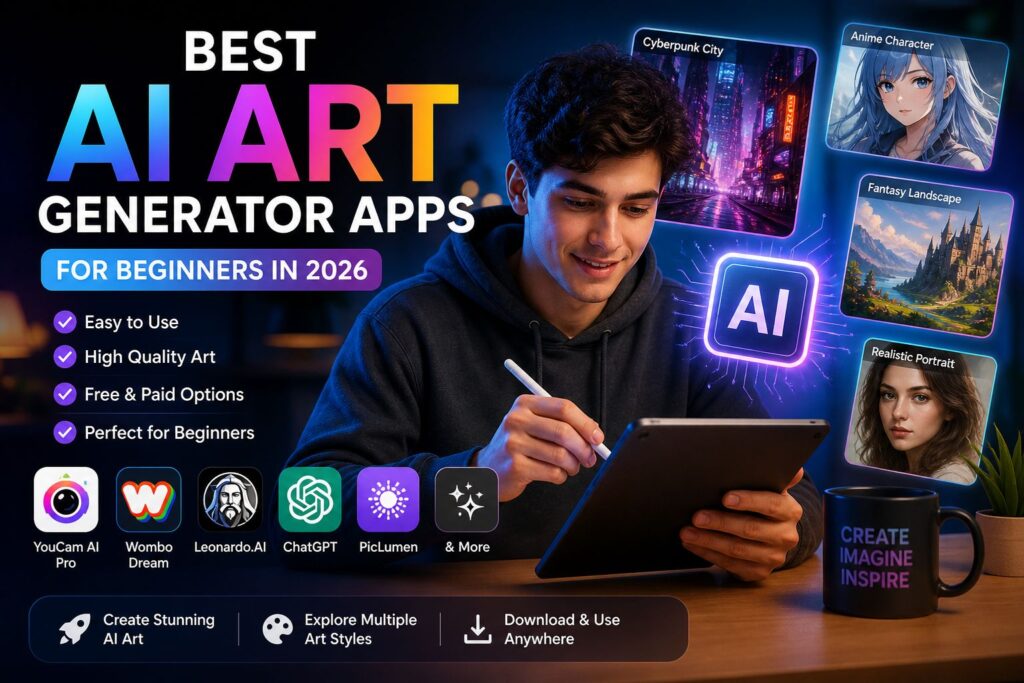
Best AI Art Generator for Beginners
Creating stunning digital art no longer requires years of practice or expensive tools. With AI art generators, anyone can turn simple text into eye-catching visuals in seconds.
But here’s the problem—most tools feel confusing for beginners. Too many features. Too many options. And not enough guidance.
That’s why this guide exists.
In this article, you’ll discover the best AI art generators that are easy to use, beginner-friendly, and actually deliver impressive results. Whether you want to create social media content, thumbnails, or just explore creativity, these tools will help you get started fast.
Let’s find the perfect AI art tool for you. 🎨
Why Beginners Should Use AI Art Tools
Starting digital art from scratch can feel overwhelming. You need drawing skills, software knowledge, and a lot of time to improve. This is where AI art tools change everything.
First, they remove the skill barrier. You don’t need to be an artist. Just type a simple prompt like “sunset over mountains in anime style”, and the AI creates it for you in seconds.
Second, they save time. Traditional design can take hours or even days. AI tools generate multiple versions instantly. This allows beginners to experiment more without getting stuck.
Another big advantage is creativity boost. Sometimes beginners don’t know where to start. AI gives ideas, styles, and inspiration automatically. It helps you learn by exploring different results.
These tools are also beginner-friendly. Most apps have simple interfaces with easy controls. You don’t need technical knowledge to get started.
Finally, AI art tools are useful for real purposes. You can create:
- Social media posts
- YouTube thumbnails
- Website images
- Digital products
In short, AI art generators make creativity accessible to everyone. They help beginners start fast, learn quickly, and create professional-looking designs without stress.
Key Features to Look for in a Beginner-Friendly AI Art Generator
Not all AI art tools are easy to use. Some are built for professionals and can feel confusing at the start. If you’re a beginner, choosing the right tool makes a big difference.
The first thing to look for is ease of use. A clean and simple interface helps you focus on creating instead of figuring out settings. The best tools let you generate images with just a prompt and a few clicks.
Next is text-to-image quality. The whole point of an AI art generator is turning your ideas into visuals. A good tool should understand simple prompts and still produce clear, attractive results.
Another important feature is style variety. Beginners often want to experiment. Look for tools that offer multiple styles like realistic, cartoon, anime, 3D, or watercolor. This helps you explore different creative directions.
Customization options also matter. While simplicity is key, having basic controls like aspect ratio, colors, or image variations gives you more flexibility without overwhelming you.
You should also check for free access or trial options. As a beginner, you don’t want to spend money upfront. Many tools offer free credits or limited usage, which is perfect for learning and testing.
Speed and performance is another factor. Fast generation keeps you engaged and allows you to try multiple ideas quickly.
Lastly, consider export quality and usage rights. Make sure you can download images in good resolution and use them for your projects, especially if you plan to create content for social media or business.
In simple terms, the best AI art generator for beginners is one that is easy, fast, flexible, and delivers good results without making things complicated.
Top AI Art Generator Apps for Beginners in 2026
Now that you know what features to look for, let’s explore the best AI art tools that are actually beginner-friendly. These apps are easy to use, require little to no experience, and still produce impressive results.
One of the most recommended tools is YouCam AI Pro. It’s perfect for beginners who want quick and polished results. The interface is simple, and you can generate high-quality images with just a short prompt.
Another popular choice is Wombo Dream. This app is known for its ease of use and artistic styles. You simply enter a prompt, choose a style, and let the AI do the rest.
If you want more control while still keeping things beginner-friendly, Leonardo.AI is a great option. It offers better customization without being too complicated, making it ideal as you start learning.
You can also use ChatGPT for creating AI images. It’s helpful because you can refine prompts, get ideas, and generate visuals all in one place, which is great for beginners who need guidance.
For those looking for simple and fast results, PicLumen provides a smooth experience with decent output quality and minimal effort.
Artist.AI is another beginner-friendly platform that focuses on creative styles and quick generation, making it easy to experiment.
If you enjoy visually rich and vibrant outputs, Vivid AI is worth trying. It’s especially useful for social media content.
Wonder is also a solid choice. It has a very simple interface and works well for users who want quick results without technical steps.
Lastly, ARTA AI offers a balance between simplicity and creativity, giving beginners multiple styles and customization options.
Each of these tools has its own strengths. Some focus on simplicity, while others offer more creative control. As a beginner, you can start with one or two and explore what works best for your needs.
Best Overall AI Art Tool for Beginners (Top Pick Explained)
When it comes to choosing the best AI art generator for beginners, one tool stands out for its balance of simplicity, quality, and ease of use.
The top pick is YouCam AI Pro.
This app is designed specifically for users who want fast results without dealing with complex settings. You don’t need any design experience. Just type your idea, and the AI instantly turns it into a polished image.
One of its biggest strengths is simplicity. The interface is clean and beginner-friendly. Everything is clearly labeled, so you don’t feel lost while using it.
Another advantage is high-quality output. Even with short prompts, it generates detailed and visually appealing artwork. This makes it ideal for social media content, thumbnails, and creative projects.
It also offers a wide range of art styles. You can create realistic portraits, anime-style images, fantasy scenes, or artistic illustrations with just one prompt change.
Speed is another plus point. Images are generated quickly, allowing you to experiment with multiple ideas in a short time. This is especially helpful for beginners who are still learning how prompts work.
Most importantly, it gives you a smooth learning experience. Instead of overwhelming you with advanced tools, it helps you understand how AI art works step by step through simple usage.
In short, if you are just starting your journey in AI-generated art, YouCam AI Pro is one of the easiest and most reliable tools to begin with.
Comparison of Popular AI Art Generators (Ease of Use, Quality, Pricing)
Choosing the right AI art tool becomes easier when you compare them side by side. As a beginner, you don’t just need good results—you need something simple, fast, and affordable.
Here’s a clear comparison of the most popular AI art generators from this list:
Ease of Use
For beginners, ease of use is the most important factor.
- YouCam AI Pro → Very easy, minimal steps
- Wombo Dream → Extremely simple, just prompt + style
- Leonardo.AI → Medium difficulty, more options
- ChatGPT → Easy, but requires good prompting
- PicLumen → Simple and beginner-friendly
👉 Conclusion: Wombo Dream and YouCam AI Pro are the easiest for absolute beginners.
Image Quality
Quality matters if you want professional-looking results.
- Leonardo.AI → High-quality, detailed, near professional level
- YouCam AI Pro → Very good quality, especially for portraits
- ChatGPT → Good, depends on prompt quality
- Wombo Dream → Artistic but less realistic
- PicLumen → Decent quality for casual use
👉 Conclusion: Leonardo.AI offers the highest quality output.
Pricing and Free Access
Most beginners prefer free or low-cost tools.
- YouCam AI Pro → Free version available with limited features
- Wombo Dream → Free with optional paid upgrades
- Leonardo.AI → Free credits daily, premium plans for more use
- ChatGPT → Free and paid versions depending on usage
- PicLumen → Free basic access
👉 Conclusion: Leonardo.AI and Wombo Dream are best for free usage.
Overall Beginner Suitability
- Best for absolute beginners: Wombo Dream, YouCam AI Pro
- Best for learning advanced control: Leonardo.AI
- Best for idea + creativity support: ChatGPT
- Best for quick simple images: PicLumen
Final Insight
If you are just starting, don’t overthink the choice. Start with one simple tool like YouCam AI Pro or Wombo Dream, then move to advanced platforms like Leonardo.AI as your skills improve.
The right tool depends on your goal—but for beginners, simplicity always wins.
Step-by-Step Guide: How Beginners Can Create AI Art
Creating AI-generated art is much easier than traditional digital design. You don’t need drawing skills or complex software. Just follow a simple process, and you can create impressive visuals in minutes.
Step 1: Choose Your AI Art Generator
Start by selecting a beginner-friendly tool. For example, you can use YouCam AI Pro or Wombo Dream.
These tools are simple and perfect for first-time users. Install the app or open the web version, then sign in if required.
Step 2: Think of a Simple Idea
Before typing anything, decide what you want to create. Keep it simple at first.
Examples:
- A sunset over mountains
- A futuristic city at night
- A cute anime character
- A fantasy forest scene
The clearer your idea, the better your result will be.
Step 3: Write a Text Prompt
Now describe your idea in words. This is called a “prompt.”
Example:
“A peaceful mountain landscape during sunset with glowing clouds and a calm lake”
You can also add styles like:
- realistic
- anime style
- 3D render
- watercolor painting
Step 4: Generate the Image
Click the generate button. The AI will process your prompt and create an image in a few seconds.
Some tools like Leonardo.AI may give multiple variations so you can choose the best one.
Step 5: Adjust or Regenerate
If you don’t like the result, don’t worry. Just:
- Change your prompt slightly
- Add more details
- Try a different style
AI art is about experimentation. Small changes can produce completely different results.
Step 6: Download and Save Your Art
Once you’re happy with the result, download the image in high quality. You can use it for:
- Social media posts
- YouTube thumbnails
- Personal projects
- Creative practice
Final Tip
Don’t aim for perfection at the start. The more you experiment, the better your results will become. AI art is all about learning through creativity and testing different ideas.
Tips to Get Better Results with AI Art Generators
Getting good AI art is not just about the tool you use. It’s mostly about how you use it. A few small changes in your approach can turn average results into stunning visuals.
1. Use Clear and Detailed Prompts
The AI depends on your text prompt. If your input is unclear, the output will be random.
Instead of writing:
- “a car”
Try:
- “a futuristic sports car driving through a neon-lit city at night, ultra realistic, cinematic lighting”
The more details you add, the better the result.
2. Add Art Styles in Your Prompt
Style changes everything. Always mention the style you want.
Examples:
- anime style
- realistic photography
- 3D render
- watercolor painting
- digital concept art
Even tools like ChatGPT respond better when style is clearly defined in your prompt.
3. Experiment with Different Versions
Don’t settle for the first result. AI art is about trial and improvement.
- Change a few words
- Add more details
- Remove unnecessary parts
- Try a different mood or lighting
Even small edits can completely change the output.
4. Use Reference Ideas for Inspiration
If you’re stuck, look at existing art styles or themes. Then describe them in your own words.
For example:
- cinematic movie scenes
- fantasy game environments
- studio portrait lighting
This helps you guide the AI more effectively.
5. Keep Prompts Balanced
Too short = unclear results
Too long = confusing results
Aim for a balanced prompt with:
- subject (what you want)
- style (how it should look)
- environment (background or setting)
6. Explore Different AI Tools
Each tool has its own strength. For example:
- Leonardo.AI → high detail control
- Wombo Dream → fast artistic results
- YouCam AI Pro → clean, beginner-friendly output
Switching tools can give you completely different creative styles.
7. Learn from Each Result
Every image teaches you something. Pay attention to:
- what worked
- what didn’t work
- how small changes affect output
Over time, your prompts will naturally improve.
Final Advice
The secret to great AI art is simple: experiment more, adjust your prompts, and stay creative. The more you practice, the better your results will become—even if you are a complete beginner.
Final Thoughts: Choosing the Right AI Art Tool for You
AI art generators have made creativity easier than ever. You don’t need drawing skills, expensive software, or years of practice. Just an idea and a few words are enough to create something visually impressive.
But the “best” tool is not the same for everyone.
If you are a complete beginner, start with simple and fast apps like Wombo Dream or YouCam AI Pro. These tools let you create images quickly without confusion.
If you want more control and higher-quality results, platforms like Leonardo.AI are better as you grow your skills. They offer more customization and advanced features.
And if you want help with ideas, prompts, and creativity in one place, ChatGPT can guide your entire creative process.
The key is not to overthink your choice. Start simple, experiment often, and explore different styles. Over time, you will naturally understand which tool fits your workflow best.
AI art is not just about generating images—it’s about exploring creativity in a new way. The more you use it, the more confident and skilled you will become.
Now it’s your turn. Pick a tool, try your first prompt, and start creating.
Conclusion
AI art generators have opened the door to creativity for everyone, especially beginners. What once required advanced design skills can now be done in seconds with simple text prompts. The key is to start with easy tools, practice regularly, and experiment with different styles and ideas. Whether you choose apps like YouCam AI Pro or explore advanced platforms like Leonardo.AI, the real progress comes from consistency and curiosity. Don’t wait for perfection—just start creating, learn from each result, and let AI help you bring your imagination to life.
Pingback: Gemini Omni
Pingback: AI News June 2026