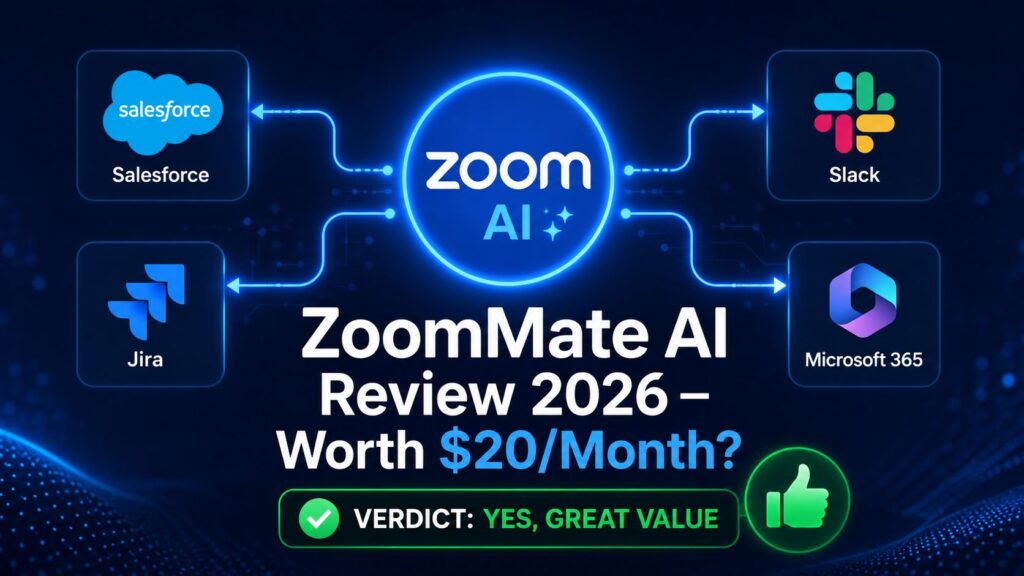
ZoomMate AI Review 2026
ZoomMate AI Review 2026
ZoomMate AI Review 2026: Is Zoom’s New AI Teammate Worth $20/Month?
Everything you need to know about ZoomMate — what it does, how it works, who needs it, and whether it is worth paying for.
🚀 Introduction: The Biggest Problem with Meetings — Finally Solved?
Think about your last work meeting.
Decisions were made. Tasks were assigned. Plans were discussed.
Then the meeting ended. And nothing happened.
Sound familiar?
This is the real cost of meetings. It is not the time you spend inside them. It is everything that gets lost after them — the follow-up emails nobody sends, the Jira tickets nobody creates, the Salesforce records nobody updates.
Zoom launched ZoomMate on June 1, 2026, an agentic AI work surface designed to bridge the gap between workplace conversations and actual execution.
In simple words: ZoomMate does not just take meeting notes. It finishes the work that your meeting started — automatically, across every app your team uses.
This review covers everything. What ZoomMate is, what it does, how much it costs, who should use it, and whether it is actually worth paying $20 per month.
Let us get into it.
🤔 What Is ZoomMate?
ZoomMate is Zoom’s brand new AI teammate. It launched on June 1, 2026.
It is not a meeting recorder. It is not a note-taking bot. It is something much more powerful.
ZoomMate is what Zoom calls an “agentic AI work surface.” That means it can listen to your meetings, understand what was decided, and then take real actions — creating documents, updating records, assigning tasks — all on its own.
Here is a simple example:
Before ZoomMate:
- You finish a sales call
- You manually update Salesforce
- You manually send follow-up email
- You manually create a Jira ticket
- This takes 30–45 minutes every call
After ZoomMate:
- You finish a sales call
- ZoomMate updates Salesforce automatically
- ZoomMate drafts your follow-up email
- ZoomMate creates the Jira ticket
- This takes 2 minutes to review and approve
That is the difference. ZoomMate does not help you do the work. It does the work for you.
📅 Quick Facts
| 📋 Detail | ✅ Information |
|---|---|
| Product name | ZoomMate |
| Developer | Zoom Communications (NASDAQ: ZM) |
| Launch date | June 1, 2026 |
| Price | $20/user/month |
| Availability | North America (Global rollout planned) |
| Category | Agentic AI work surface |
| Replaces | Zoom AI Companion (being retired June 21, 2026) |
| Includes | AI Productivity Suite ($10/month value) |
🔄 ZoomMate vs Old Zoom AI Companion: What Changed?
Many Zoom users are confused about this. Let us make it crystal clear.
ZoomMate combines agentic search, workflow orchestration, and content creation on a single work surface, connecting Zoom conversations with other platforms. Instead of asking employees to summarize a meeting, open three other apps, update records, build a deck, and then chase follow-ups, ZoomMate is designed to carry meeting context directly into those downstream tasks. SEO-Kreativ
Here is the key difference in a simple table:
| Feature | Old AI Companion | New ZoomMate |
|---|---|---|
| Meeting summaries | ✅ Yes | ✅ Yes |
| Chat drafting | ✅ Yes | ✅ Yes |
| Auto-update Salesforce | ❌ No | ✅ Yes |
| Create Jira tickets | ❌ No | ✅ Yes |
| Build presentations | ❌ No | ✅ Yes |
| Search across all apps | ❌ No | ✅ Yes |
| Execute workflows | ❌ No | ✅ Yes |
| Price | Free with paid plan | $20/user/month |
Bottom line: AI Companion was a meeting assistant. ZoomMate is a meeting executor.
The product combines agentic search, workflow orchestration, and content creation on a single work surface. SEO-Kreativ
Important note: The AI Companion brand is being retired. The name and logo are being removed across Zoom products, with full debranding expected to complete around June 21, 2026. The underlying capabilities are not going away — they stay built into Zoom Workplace as native features, just without the AI Companion label on them. AI Success Lab
⚡ ZoomMate Key Features
🔍 Feature 1: Agentic Search
Have you ever wasted 20 minutes looking for a file?
ZoomMate fixes that.
Agentic Search enables users to query across various platforms simultaneously, providing a detailed view of customer records and project updates. By incorporating context from conversations and documents, ZoomMate surpasses traditional isolated document search. scribd
You can ask ZoomMate:
- “What did we decide about the marketing budget in last week’s meeting?”
- “Show me John’s latest support ticket from Zendesk”
- “What is the status of Project X in Jira?”
ZoomMate searches across Zoom meetings, chats, emails, documents, and connected apps — and gives you one clear answer. No tab switching. No manual searching.
⚙️ Feature 2: Workflow Orchestration
This is ZoomMate’s most powerful feature.
After a meeting ends, ZoomMate automatically identifies what needs to happen next.
The AI can identify next steps from meeting conversations, create tasks, schedule events, update records, draft communications, and trigger workflows across connected systems. This functionality is designed to reduce administrative work and ensure decisions made during meetings translate into tangible actions. The DigitalFlix
Real examples of what ZoomMate does automatically:
- Sales call ends → Updates Salesforce deal stage → Schedules follow-up
- Sprint planning ends → Creates Jira tickets → Assigns them to team members
- HR interview ends → Updates Workday candidate status → Sends rejection or offer email
- Client meeting ends → Creates project brief → Sends to team on Slack
This is not science fiction. This is what ZoomMate does on June 1, 2026.
📄 Feature 3: The “Complete” Feature — Turn Meetings Into Documents
Every meeting produces work. Reports. Presentations. Project plans.
ZoomMate generates all of them automatically.
ZoomMate turns meetings into finished work, automatically creating presentations, documents, spreadsheets, reports, and project plans from meeting conversations and enterprise context so teams can move from discussion to execution faster. ZoomMate can update deliverables as decisions evolve, keeping plans, documents, and other outputs current in real time without manual syncing. Launchcodex
What does this mean in practice?
You finish a strategy meeting. ZoomMate automatically creates:
- ✅ A PowerPoint presentation of the key decisions
- ✅ A project plan document with timelines
- ✅ A spreadsheet tracking action items
- ✅ A report you can send to leadership
All generated automatically. All ready to review in minutes.
🔗 Feature 4: Cross-Platform Meeting Context
Here is something impressive.
ZoomMate does not only work with Zoom meetings. It also pulls context from Google Meet and Microsoft Teams meetings.
Not only does ZoomMate utilize data from Zoom itself, but it also gathers input from platforms such as Google Meet and Microsoft Teams. scribd
This is a massive advantage. Most businesses use multiple meeting platforms. ZoomMate brings them all together in one place.
🔗 All ZoomMate Integrations
ZoomMate connects to the tools your team already uses every day.
ZoomMate works with Salesforce, Jira, Slack, ServiceNow, Workday, Google Workspace, and Microsoft 365. Orange MonkE
Here is the complete integration list:
| 🔧 Category | 🔗 Integrations |
|---|---|
| CRM | Salesforce |
| Project Management | Jira |
| Communication | Slack |
| IT Service Management | ServiceNow |
| HR Management | Workday |
| Productivity Suite | Google Workspace (Docs, Drive, Gmail) |
| Productivity Suite | Microsoft 365 (Word, Excel, Teams, Outlook) |
| Support | Zendesk |
| Meeting Platforms | Zoom, Google Meet, Microsoft Teams |
This covers the majority of tools that small, medium, and enterprise businesses use daily.
💰 ZoomMate Pricing: Complete Breakdown
Understanding ZoomMate’s pricing is important. Let us break it down simply.
The AI Productivity Suite is included with a ZoomMate subscription and is also available standalone or as an add-on for $10 per user per month with AI credits included. SellerShorts
| 💳 Plan | 💰 Price | ✅ What’s Included |
|---|---|---|
| Zoom Workplace (Pro) | $14.16/user/month | Basic AI features (old AI Companion capabilities) |
| AI Productivity Suite | $10/user/month | Advanced content creation, AI credits |
| ZoomMate | $20/user/month | Everything — agentic search + workflow execution + AI Productivity Suite included |
| ZoomMate Pro | Custom pricing | Enterprise features, dedicated support |
The key point: When you buy ZoomMate at $20/month, you get the $10 AI Productivity Suite included for free. So the real additional cost over basic Zoom is only $10/user/month for the full ZoomMate experience.
Is $20/Month Good Value?
Let us do the math.
A human administrative assistant costs $35,000 to $50,000 per year. ZoomMate costs $240 per user per year.
For a 10-person team, ZoomMate costs $2,400 per year. The post-meeting admin work it replaces would cost $15,000 to $20,000 per year in human time.
For businesses already paying for Zoom, adding ZoomMate at $20 per month per person raises a familiar question: is the productivity gain worth the incremental cost? Zoom is betting the answer becomes obvious once teams use it. Orange MonkE
🆚 ZoomMate vs Microsoft Copilot vs Google Gemini for Workspace
ZoomMate is not the only AI meeting tool available. Here is how it compares to the two biggest competitors:
| ⚖️ Feature | 🔵 ZoomMate | 🟣 Microsoft Copilot | 🔵 Google Gemini Workspace |
|---|---|---|---|
| Launch | June 1, 2026 | Available since 2024 | Available since 2024 |
| Price | $20/user/month | $30/user/month | $30/user/month |
| Meeting summaries | ✅ Yes | ✅ Yes | ✅ Yes |
| Auto workflow execution | ✅ Yes | ✅ Yes | ✅ Limited |
| Salesforce integration | ✅ Native | ✅ Via connector | ✅ Via connector |
| Jira integration | ✅ Native | ✅ Via connector | ✅ Via connector |
| Cross-platform meetings | ✅ Zoom + Meet + Teams | ✅ Teams focused | ✅ Meet focused |
| Document generation | ✅ Full suite | ✅ Full suite | ✅ Full suite |
| Best for | Zoom-heavy teams | Microsoft 365 teams | Google Workspace teams |
| Free trial | ❌ No | ❌ No | ❌ No |
Sources: Zoom Official, Microsoft Copilot, Google Workspace
The verdict on comparison:
ZoomMate is cheaper than both Microsoft Copilot and Google Gemini for Workspace. It is the best choice if your team already uses Zoom heavily. If your team lives inside Microsoft 365, Copilot is the more natural fit.
✅ Who Should Use ZoomMate?
ZoomMate is not for everyone. Here is exactly who will get the most value from it:
🏢 Sales Teams
Sales reps spend 30–40% of their time on CRM updates and follow-up admin. ZoomMate eliminates most of that.
After every sales call, ZoomMate automatically:
- Updates the Salesforce opportunity
- Drafts the follow-up email
- Schedules the next meeting
- Creates a call summary report
Sales teams using ZoomMate will close deals faster — because they spend more time selling and less time doing admin work.
🛠️ Project Managers
Every project meeting generates tasks, updates, and documents. ZoomMate handles all of them.
After every project meeting, ZoomMate automatically:
- Creates Jira tickets for action items
- Updates the project timeline
- Generates a status report
- Sends Slack notifications to team members
For project managers handling multiple projects simultaneously, ZoomMate is a genuine game-changer.
👥 HR Teams
Hiring involves dozens of interviews, status updates, and communications. ZoomMate streamlines the entire process.
After every interview, ZoomMate automatically:
- Updates the candidate status in Workday
- Drafts feedback notes
- Schedules next steps
- Sends candidate communications
🏪 Small Business Owners
Small business owners wear many hats. They cannot afford a full administrative team. ZoomMate gives them enterprise-grade admin support at $20/month.
❌ Who Should Skip ZoomMate?
Be honest with yourself. ZoomMate is not the right choice for everyone.
Skip ZoomMate if:
- You rarely use Zoom — ZoomMate’s value comes from meeting frequency. If you have fewer than 5 meetings per week, the $20/month cost is hard to justify.
- You are a solo freelancer — The workflow automation features are built for teams. A solo operator does not need to create Jira tickets or update Salesforce after every call.
- Your team uses primarily Microsoft Teams — Microsoft Copilot integrates more deeply with the Microsoft 365 ecosystem. If your team lives in Teams, Copilot is the better choice.
- You are outside North America — ZoomMate is currently only available in North America. Expansion to other sectors and regions, including Europe, is planned for later in 2026. Coalition Technologies
- You need a free trial first — Users looking to test it will be disappointed: Zoom does not currently offer a free trial. You pay before you try. Proceedinnovative
💬 Real User Reactions
ZoomMate launched just one week ago. Early adopter feedback is starting to come in.
What users are praising:
- The Salesforce auto-update feature is getting strong positive reactions from sales teams
- The “Complete” document generation feature is described as “genuinely impressive” by early testers
- The cross-platform meeting support (Google Meet + Teams + Zoom) is seen as a major practical advantage
What users are questioning:
- The $20/month price point on top of existing Zoom subscription costs
- No free trial makes it a commitment before you know if it delivers
- Enterprise integrations are impressive but small businesses may not use most of them
- The AI credits model for advanced features adds usage-based costs on top of the flat fee
Russell Dicker, Chief Product Officer at Zoom, highlights the distinct advantage of the platform: “No other company sits where Zoom sits — at the center of every conversation where work is done.” scribd
That positioning is either Zoom’s strongest argument or its biggest assumption — depending on whether your team actually makes decisions in Zoom meetings, or somewhere else.
✅ Pros and Cons
✅ Pros
- Saves massive time — Post-meeting admin work is eliminated automatically
- Deep integrations — Salesforce, Jira, Workday, Slack, ServiceNow all native
- Cross-platform — Works with Google Meet and Microsoft Teams too
- Document generation — Creates presentations, reports, spreadsheets automatically
- Cheaper than competitors — $20/month vs $30/month for Copilot and Gemini Workspace
- AI Productivity Suite included — $10/month value bundled in for free
- Trusted brand — Zoom is a known, reliable enterprise platform
❌ Cons
- No free trial — You cannot test before paying
- North America only — Not available globally yet
- Credit-based advanced features — Some features use AI credits which add up
- Best value for Zoom users only — Less compelling if you rarely use Zoom
- New product — Only launched June 1, 2026 — long-term reliability not yet proven
- Price on top of Zoom — Adding $20 to existing Zoom subscription costs can add up for large teams
🏆 Final Verdict: Is ZoomMate Worth $20/Month?
Here is our honest answer.
Yes — if you are a sales, project management, or HR team that runs 10+ meetings per week and already uses Zoom.
The math is simple. If ZoomMate saves each person on your team just 30 minutes per week of post-meeting admin work, that is 26 hours per year per person. At even a modest $25/hour value, that is $650 per person per year saved. ZoomMate costs $240 per person per year. The ROI is clear.
No — if you are a solo freelancer, you are outside North America, or your team rarely meets on Zoom.
The workflow automation features are built for teams with regular meeting cadences and enterprise tool stacks. For individual users or very small operations, the $20/month cost is hard to justify compared to simpler, cheaper meeting tools.
| 👤 User Type | 💡 Verdict |
|---|---|
| Sales teams (5+ people) | ✅ Absolutely worth it |
| Project management teams | ✅ Strong recommendation |
| HR teams | ✅ Strong recommendation |
| Small business owners (3+ team) | ✅ Worth trying |
| Solo freelancers | ❌ Skip it |
| Microsoft Teams-heavy teams | ❌ Use Copilot instead |
| Users outside North America | ⏳ Wait for global rollout |
| Anyone wanting a free trial | ⏳ Wait for trial availability |
✍️ Conclusion
ZoomMate is the most ambitious product Zoom has launched since the original video conferencing platform itself.
It moves Zoom from a meeting tool into a business execution engine. The features are real. The integrations are deep. The time savings for the right teams are significant.
The $20/month price is fair — especially compared to Microsoft Copilot and Google Gemini for Workspace at $30/month. The lack of a free trial is frustrating, and the North America-only availability limits who can use it today.
But for sales teams, project managers, and HR professionals who live in Zoom and spend hours every week on post-meeting admin work, ZoomMate is exactly the tool they have been waiting for.
The era of finishing your own meetings is over. ZoomMate wants to do it for you.
❓ Frequently Asked Questions
What is ZoomMate? ZoomMate is Zoom’s agentic AI work surface, launched June 1, 2026. It connects live meeting context to workflow automation, enterprise search, and AI document generation — automatically turning meeting decisions into completed work across tools like Salesforce, Jira, Slack, and more.
How much does ZoomMate cost? ZoomMate costs $20 per user per month and includes the AI Productivity Suite (normally $10/month) at no extra charge. Enterprise pricing is available for larger teams.
Is ZoomMate available globally? No. As of June 2026, ZoomMate is only available in North America. Zoom has announced plans to expand to EMEA and APAC regions later in 2026.
What is the difference between ZoomMate and Zoom AI Companion? Zoom AI Companion was a meeting assistant — it summarized meetings and drafted chat replies. ZoomMate is a meeting executor — it automatically updates your CRM, creates tasks, builds documents, and executes workflows after every meeting. AI Companion is being retired on June 21, 2026.
Does ZoomMate work with Microsoft Teams and Google Meet? Yes. ZoomMate can pull meeting context from Google Meet and Microsoft Teams meetings, not just Zoom meetings.
Is there a free trial for ZoomMate? No. Zoom does not currently offer a free trial for ZoomMate. You need to purchase a subscription to access the full features.
What apps does ZoomMate integrate with? ZoomMate integrates natively with Salesforce, Jira, Slack, ServiceNow, Workday, Google Workspace, Microsoft 365, and Zendesk.
Who is ZoomMate best for? ZoomMate delivers the highest value for sales teams, project managers, and HR teams that run frequent meetings and use enterprise tools like Salesforce, Jira, and Workday daily.
MORE FROM US

Pingback: The 9 Best AI Coding Tools in 2026