The 17 Best AI Video Generators in 2026
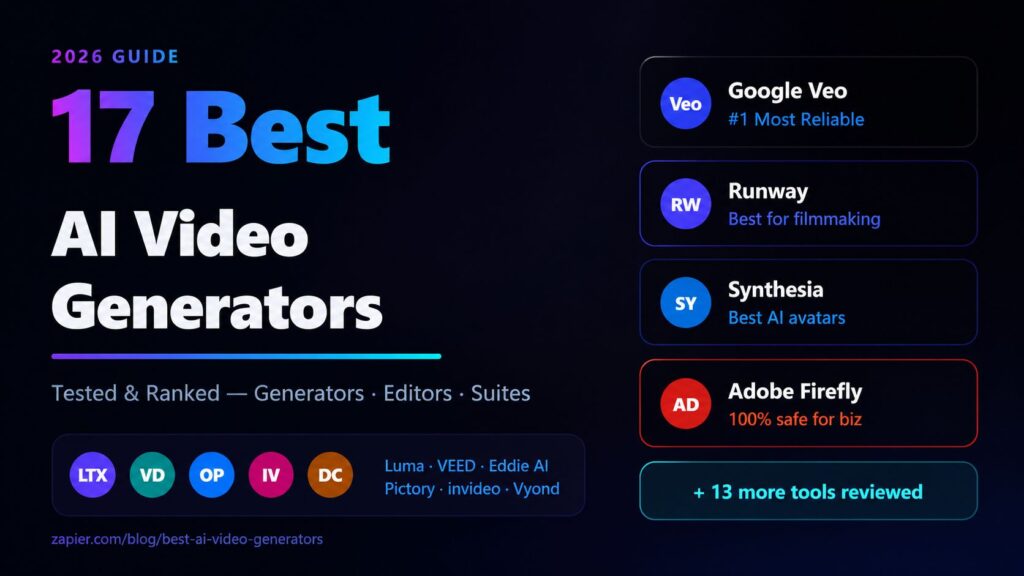
Use These Tools to Create, Edit, and Enhance Videos with AI
Video creation used to require expensive equipment, a professional editing suite, and years of skill-building. Today, AI has completely rewritten those rules. Whether you want to turn a text prompt into a cinematic short film, edit a 90-minute interview down to a punchy 3-minute highlight reel, or generate a talking avatar for your company training videos — there’s now an AI tool built specifically for that job.
But the sheer number of options is overwhelming. New AI video tools launch every month, each claiming to be the most powerful, the most realistic, or the easiest to use. Sorting through the noise is a real challenge.
That’s why we did it for you. We tested dozens of AI video tools across every category — generators, editors, and full creation suites — and narrowed the list down to the 17 best options available in 2026. Whether you’re a solo content creator, a marketing team, a filmmaker, or a business owner, there’s a tool on this list that fits your workflow and budget.
The Best AI Video Creators
Before diving into individual tool reviews, it helps to understand how the landscape is organized. AI video tools aren’t all the same — they serve very different purposes, and knowing which category fits your needs will save you a lot of time.
The Best AI Video Generators
AI video generators create video from scratch. You give them a text prompt, an image, or a short clip, and they produce new video content using generative AI models. These are the tools you use when you have an idea but no footage.
The Best AI Video Editors
AI video editors work with footage you already have. They use AI to automate tasks like cutting clips, removing silences, generating captions, enhancing audio, and repurposing long-form videos into short social clips.
The Best AI Video Creation Suites
AI video creation suites combine generation, editing, avatar creation, templates, and publishing tools into one platform. These are end-to-end solutions typically aimed at businesses and professional content teams.
What Makes the Best AI Video Generator?
Not all AI video tools are created equal. When evaluating each tool on this list, we looked at a consistent set of criteria:
Output quality — Does the video actually look good? Is motion realistic? Are there artifacts, distortions, or physics errors that break immersion?
Prompt responsiveness — Does the tool produce what you describe, or does it go off in a random direction? The best tools give you control over the final result.
Speed — How long does generation take? A tool that produces great results in 30 seconds is more useful than one that takes 20 minutes.
Ease of use — Is the interface approachable for non-technical users, or does it require a steep learning curve?
Pricing and value — Are the free tiers genuinely useful? Does the paid plan justify the cost?
Consistency — Can you reliably reproduce a style or character across multiple videos, or does each generation feel random?
Commercial licensing — Can you actually use the output in paid work, ads, or published content without legal risk?
How We Evaluate and Test Apps
Every tool on this list was tested hands-on by our editorial team. We ran each tool through a standardized set of prompts and tasks, evaluated the output quality against competitors in the same category, and considered real-world feedback from creators and businesses who use these tools daily. We don’t accept payment to include tools on our lists, and our recommendations are editorially independent.
The Best AI Video Generators at a Glance
| Tool | Best For | Platforms | Starting Price |
|---|---|---|---|
| Google Veo | Reliable, consistent results | Web | Free (limited) |
| Runway | Film-making and cinematic work | Web, iOS | $15/month |
| Luma Dream Machine | Brainstorming and ideation | Web, iOS | Free tier available |
| LTX Studio | Extreme creative control | Web | $13/month |
| Adobe Firefly | Commercially-safe outputs | Web, iOS, Android | Included with Creative Cloud |
| Descript | Editing video by editing the script | Web, Windows, Mac | Free tier available |
| Wondershare Filmora | Polishing video with AI tools | Windows, Mac, iOS, Android | $49.99/year |
| VEED | Faster content production | Web, iOS | Free tier available |
| Capsule | Branded video production | Web (Chrome) | Contact for pricing |
| Eddie AI | Rough cuts in minutes | Web, Windows, Mac | $29/month |
| OpusClip | Viral clip extraction | Web, iOS | Free tier available |
| invideo AI | Social media videos from a prompt | Web, iOS, Android | Free tier available |
| Vyond | Animated characters from a prompt | Web | $49/month |
| Synthesia | Digital avatar creation | Web | $29/month |
| LiveAvatar by HeyGen | Interactive digital avatars | Web | $29/month |
| revid.ai | AI-powered templates | Web | $39/month |
| Pictory | Transforming content into video | Web | $23/month |
Best AI Video Generator for Reliable, Consistent Results
Google Veo (Web)
When you need a video generator you can actually depend on — one that produces high-quality output time after time without wildly inconsistent results — Google Veo is the benchmark in 2026.
Veo is Google DeepMind’s flagship video generation model, and it shows. The tool generates video at up to 4K resolution with an impressive understanding of real-world physics, lighting, and cinematic language. Ask it for a slow-motion shot of rain hitting a puddle, and it doesn’t just show rain — it gets the ripples right, the light refraction right, the surface tension right.
What separates Veo from competitors is consistency. Many AI video generators produce stunning results on a lucky prompt and garbage on the next one. Veo has a noticeably higher floor. The average generation quality is better, even when the prompt isn’t perfectly crafted.
Veo supports both text-to-video and image-to-video generation. You can describe a scene in natural language and get a polished clip, or provide a reference image and animate it with a motion prompt. The tool also supports inpainting — replacing specific regions of an existing video with AI-generated content.
Veo integrates with Google’s broader ecosystem through Vertex AI, making it a serious option for developers and enterprise teams who need to build video generation into larger workflows. Consumer access is available through Google Labs and the Gemini app.
Pros: Exceptional output quality and consistency; strong physics and lighting simulation; 4K support; enterprise API access via Vertex AI.
Cons: Limited consumer-facing controls compared to competitors; access has historically been restricted to waitlists; pricing for high-volume usage can escalate quickly.
Pricing: Limited free access through Google Labs; enterprise pricing through Vertex AI.
Best AI Video Generator for Film-Making
Runway (Web, iOS)
If you’re making something that’s supposed to look like a real film — not a marketing video, not a social media clip, but an actual cinematic piece — Runway is the tool the creative community keeps coming back to.
Runway has been at the forefront of AI video generation longer than almost any other tool on this list, and that experience shows in the product’s depth. The platform offers a suite of video generation and editing tools built around a core text-to-video model that produces genuinely cinematic results. Motion is smooth, color grading is rich, and the overall aesthetic has the kind of filmic quality that other tools often struggle to replicate.
The Gen-3 Alpha model, Runway’s current flagship, handles complex scene compositions that would trip up most competitors. You can generate multi-character scenes, specify camera movement with real cinematography terminology (dolly shots, crane shots, rack focus), and maintain visual consistency across a sequence of clips.
Beyond generation, Runway includes a full suite of editing tools: background removal, motion tracking, frame interpolation, slow-motion generation, and a video editor that brings your generated clips together. The iOS app makes it genuinely portable, letting creators capture reference footage and feed it directly into generation workflows from their phone.
Runway is also deeply embedded in the professional creative community. It has been used in the production pipeline of major film and TV projects, which speaks to how seriously working professionals take it.
Pros: Best-in-class cinematic output; strong community and professional adoption; comprehensive suite of generation and editing tools; excellent iOS app.
Cons: Pricing can be high for heavy users; generation can be slow during peak times; the learning curve for advanced features is steeper than simpler tools.
Pricing: From $15/month for the Standard plan; higher tiers for more generation credits.
Best AI Video Generator for Brainstorming with AI
Luma Dream Machine (Web, iOS)
Not every video generation session is about producing a final polished output. Sometimes you’re in the early stages of a project — exploring ideas, testing visual directions, trying to figure out what something should look and feel like before you commit to a production approach. That’s where Luma Dream Machine excels.
Dream Machine, developed by Luma AI, is one of the fastest text-to-video generators available. The speed is the key feature here. Where other tools might take several minutes to generate a clip, Dream Machine can often deliver results in under a minute. That velocity fundamentally changes how you interact with the tool — it becomes less like a deliberate production step and more like a creative conversation.
You throw an idea at it, see what comes back, iterate on the prompt, generate again. Within a short session, you can explore five or ten different visual interpretations of the same concept. That kind of rapid iteration is invaluable during the brainstorming phase of a project.
Dream Machine produces good results — not always the absolute highest quality compared to Veo or Runway, but good enough to communicate an idea clearly and evaluate whether it’s worth pursuing further. The image-to-video capability is particularly strong, letting you animate still images with impressive realism.
The iOS app makes Dream Machine one of the most mobile-friendly generators on the market. For creators who do their best thinking on the go, or who want to quickly test an idea while they’re away from their desk, this is a significant practical advantage.
Pros: Very fast generation speeds; excellent for ideation and iteration; strong image-to-video capability; good iOS app; free tier available.
Cons: Output quality doesn’t always match the top generators; less control over camera movement and cinematography specifics.
Pricing: Free tier with limited generations; paid plans for more credits.
Best AI Video Generator for Extreme Creative Control
LTX Studio (Web)
Most AI video generators work with a simple input-output model: you write a prompt, you get a video. LTX Studio takes a completely different approach. It gives you a layered, structured production environment where you can control almost every aspect of the generation process — and the result is unlike anything else in the AI video space.
LTX Studio, built on Lightricks’ LTX-Video model, structures your project like a storyboard. You define scenes, set camera angles, specify character consistency, and control the narrative arc of your video before generation even begins. This isn’t about writing a better prompt — it’s about designing a production before you shoot it.
Character consistency is one of the platform’s standout features. Maintaining a consistent character across multiple generated clips is one of the hardest problems in AI video generation. Most tools produce characters that look slightly different in every clip, breaking the illusion of continuity. LTX Studio addresses this directly with tools for locking character appearance across a project.
The level of camera control available is exceptional. You can specify not just camera movement types but precise trajectories, timing, and framing. For creators who think cinematographically — who approach their work with a specific visual language in mind — this is a major differentiator.
LTX Studio is not the easiest tool to pick up. The production-oriented interface assumes you understand concepts like scene composition and camera movement. But for creators who are willing to invest in learning it, the creative ceiling is significantly higher than most competitors.
Pros: Exceptional creative control; character consistency tools; storyboard-style production interface; strong camera control options.
Cons: Steeper learning curve; interface can feel complex for casual users; not ideal for quick, simple generations.
Pricing: From $13/month for the Basic plan.
Best AI Video Generator for Commercially-Safe Outputs
Adobe Firefly (Web, iOS, Android)
For anyone who creates videos professionally — especially in advertising, marketing, or commercial content production — the question of whether you can legally use AI-generated footage is not an afterthought. It’s a critical business consideration. Adobe Firefly answers that question definitively.
Adobe Firefly is trained exclusively on licensed content, including Adobe Stock, openly licensed material, and content where usage rights have been explicitly cleared. Every video output comes with Adobe’s Content Credentials, a built-in provenance record that documents how the content was created and confirms its licensing status. This makes Firefly the safest choice for any creator who needs to show clients or legal teams that their AI-generated footage is clean.
The quality of Firefly’s video output has improved substantially through 2025 and into 2026. The tool generates smooth, high-quality video clips with strong understanding of style and mood. The integration with Adobe Creative Cloud means that Firefly doesn’t sit in isolation — you can generate footage and move it directly into Premiere Pro or After Effects without leaving the Adobe ecosystem.
For teams already working in Adobe’s tools, Firefly is a natural extension of an existing workflow rather than a separate tool to learn. The availability across web, iOS, and Android makes it accessible across devices.
Pros: Commercially licensed outputs with clear usage rights; Content Credentials for provenance tracking; deep Creative Cloud integration; strong cross-platform availability.
Cons: Output quality, while good, doesn’t always match the pure generation quality of specialized tools like Veo or Runway; requires Creative Cloud subscription for full access.
Pricing: Included with Adobe Creative Cloud plans; standalone Firefly plans from $9.99/month.
Other AI Video Generators to Watch
The five tools above represent the best of the current AI video generation landscape, but the space is moving fast. Several other tools are worth keeping an eye on:
Stability AI’s Stable Video continues to evolve as an open-source option that technical users can run locally or build into their own pipelines. The lack of usage restrictions makes it interesting for specific use cases.
Kling AI from Kuaishou has emerged as a strong competitor, particularly for longer video generation. Its ability to produce coherent clips of 5-10 seconds without the motion degradation that plagues some competitors is notable.
Pika Labs built a dedicated following for its expressive, stylized outputs. While not always the most realistic, Pika excels at artistic and animated aesthetics that intentionally depart from photorealism.
Sora by OpenAI continues to evolve with new features being rolled out to ChatGPT Plus and Pro subscribers. As OpenAI’s infrastructure scales, Sora’s quality and accessibility are both improving.
Best AI Video Editor for Editing Video by Editing the Script
Descript (Web, Windows, Mac)
Descript is built around one genuinely clever idea: what if editing a video was as simple as editing a document? Instead of scrubbing through a timeline and cutting clips frame by frame, Descript transcribes your video and presents it as text. You edit the video by editing the transcript. Delete a sentence, and the corresponding video and audio are cut automatically.
This approach makes Descript exceptionally accessible to people who aren’t traditional video editors. Writers, podcasters, marketers, and educators who are comfortable with text but intimidated by conventional editing timelines find that Descript dramatically lowers the barrier to producing polished video content.
The AI features go well beyond transcription. Descript’s Overdub feature lets you clone your voice and use it to add or replace words in a recording — if you said “um” in the middle of a sentence, you can just delete it from the transcript, or type a correction and have your cloned voice say it. The Studio Sound feature cleans up audio quality automatically, removing background noise and room echo.
Eye Contact Correction uses AI to make it appear that the speaker is looking directly at the camera, even if they were reading from notes or a teleprompter off-camera. This is a remarkably useful feature for anyone producing talking-head content.
Descript also supports screen recording, multitrack editing, and video publishing directly from the platform. It’s a complete production workflow for text-driven video content.
Pros: Revolutionary script-based editing approach; powerful voice cloning and audio correction tools; excellent for non-traditional editors; integrated screen recording and publishing.
Cons: The script-based approach has limits for complex cinematic editing; video quality export options are less robust than dedicated NLEs; voice cloning requires a sample recording.
Pricing: Free tier available; paid plans from $12/month.
Best AI Video Editor for Polishing Your Video with AI Tools
Wondershare Filmora (Windows, Mac, iOS, Android)
Wondershare Filmora has long been one of the most popular consumer video editing applications, and its AI feature set in 2026 makes it one of the most comprehensive all-in-one solutions for creators who want to polish their videos without learning professional-grade software.
Filmora’s AI Copilot is the star feature — a conversational assistant that lets you describe edits in natural language and watches the tool execute them on your timeline. “Add a fade transition between clips two and three, then boost the colors in the outdoor scenes” becomes a series of automated actions rather than a manual workflow.
The Smart Cutout tool removes backgrounds and isolates subjects with impressive accuracy, even in complex scenes with hair and fine detail. The AI Motion Tracking feature automatically follows a moving subject and applies effects or masks that stay locked to them throughout the clip.
Filmora’s AI audio tools are particularly strong. The Audio Denoise feature cleans up background noise, while AI Music Matching automatically selects and edits background music to fit the length and pacing of your video. The Silence Detection tool automatically removes pauses and dead air from interview footage, cutting down editing time significantly.
The cross-platform availability — Windows, Mac, iOS, and Android — makes Filmora one of the most flexible options for creators who work across multiple devices. The mobile apps are genuinely functional rather than stripped-down companions.
Pros: Comprehensive AI toolset; conversational AI Copilot; strong audio enhancement tools; excellent cross-platform support; approachable interface.
Cons: Some advanced AI features require higher-tier subscriptions; output quality at the lower end of paid tiers is limited; interface can feel cluttered with so many features.
Pricing: Free tier with watermark; paid plans from $49.99/year.
Best AI Video Editor for Faster Content Production
VEED (Web, iOS)
For content creators, marketers, and social media managers who need to produce a high volume of videos quickly, VEED has become an indispensable tool. It’s built for speed, with an interface and feature set optimized for getting from raw footage to publishable content as fast as possible.
VEED’s auto-subtitles are one of the most accurate in the business, supporting over 100 languages with the kind of precision that minimizes manual correction. For creators producing content for international audiences, or for anyone who wants to make their content accessible, this alone justifies the tool.
The AI Script Generator lets you input a topic and receive a full video script, which VEED can then help you produce with AI voiceovers, background clips from its stock library, and automatic pacing. It’s a full content production pipeline that can take you from topic idea to finished video without ever picking up a camera.
VEED’s background removal, noise reduction, and color correction tools are fast and effective enough for social media quality content. The Magic Cut feature automatically identifies and removes the worst takes and dead air from a recording, giving you a usable rough cut in seconds.
The collaboration features are well-designed for teams. Multiple users can work on the same project simultaneously, leave comments on specific timelines, and share review links with stakeholders who don’t have VEED accounts.
Pros: Exceptional subtitle accuracy in 100+ languages; fast and intuitive interface; solid team collaboration tools; strong AI script-to-video pipeline.
Cons: Not suitable for high-production professional work; export quality options are more limited than dedicated NLEs; some AI features consume credits quickly.
Pricing: Free tier available; paid plans from $18/month.
Best AI Video Editor for Streamlining Your Branded Video Production Workflow
Capsule (Web, prefers Google Chrome)
Capsule takes a different approach than most tools on this list. While other editors are built for individual creators, Capsule is designed specifically for teams that produce branded video content at scale — think marketing departments, agencies, and corporate communications teams.
The core proposition is brand consistency. Capsule lets you define your brand’s visual identity — logo placement, color palette, typography, lower thirds, transitions, music — and then apply it consistently across every video your team produces. Once the brand kit is set up, editors can focus on the actual content without worrying about whether each video looks like it came from the same company.
The AI scene detection and auto-editing tools analyze your footage and produce a first cut based on your brand’s style preferences. This isn’t just random AI automation — it’s intelligent enough to understand pacing preferences, preferred shot lengths, and the tone established in your brand guidelines.
Capsule’s collaboration workflow is built for professional teams with approval processes. Stakeholders can leave timestamped comments, request specific revisions, and approve final cuts — all within the platform, without the chaos of email feedback chains.
The Google Chrome preference is a minor friction point worth noting. While Capsule technically works in other browsers, it’s optimized for Chrome and some features perform noticeably better there.
Pros: Excellent brand consistency tools; built for team workflows with approval processes; strong AI-powered first cut generation; professional-grade output.
Cons: Chrome-dependent for best performance; pricing and access are enterprise-oriented; less suitable for individual creators.
Pricing: Contact for pricing; built for team and enterprise plans.
Best AI Video Editor for Getting a Rough Cut in Minutes
Eddie AI (Web, Windows, Mac)
Rough cuts are a necessary but time-consuming part of any video production workflow. You sit down with hours of interview footage, b-roll, and multiple takes, and you have to turn it into something watchable before you can even start polishing it. Eddie AI is built to automate that first step.
Eddie analyzes your raw footage, understands its content through automatic transcription and content analysis, and generates a structured rough cut based on your stated objective. You tell it what the video is for — a product demo, a customer testimonial, a training video — and it selects the relevant sections, removes the bad takes, and assembles them into a coherent first edit.
The quality of the rough cut is genuinely impressive. Eddie doesn’t just concatenate random clips — it understands narrative structure and selects footage that builds a logical arc. For documentary-style content, interview-heavy videos, and event coverage, the time savings are substantial.
The editing interface that follows the rough cut generation is clean and functional, giving you the controls you need to refine the AI’s suggestions without getting in the way. You can adjust in and out points, swap clips, and reorder sections while the AI’s initial structure serves as a starting point.
Pros: Dramatically reduces rough cut time; intelligent narrative understanding; clean editing interface; strong for interview and documentary-style content.
Cons: Less effective for highly stylized or music-driven content; AI suggestions sometimes require significant manual refinement; limited advanced effects.
Pricing: From $29/month.
Best AI Video Editor for Extracting and Posting Viral Clips from Long-Form Video
OpusClip (Web, iOS)
The rise of short-form video platforms — TikTok, Instagram Reels, YouTube Shorts — has created a whole new content format that many creators struggle to feed consistently. If you’re producing long-form content (podcasts, YouTube videos, webinars, live streams), OpusClip turns that content into a steady stream of short-form clips automatically.
OpusClip’s core feature is its Virality Score — an AI-generated rating for each clip it extracts, based on factors like audience retention patterns, emotional arc, quotability, and visual interest. This scoring system helps you prioritize which clips to post without watching dozens of candidates yourself.
The tool automatically crops and reframes extracted clips for vertical video formats, handles caption generation and styling, and can add B-roll and visual overlays to keep the clips engaging. The output is ready to post without additional editing in most cases.
OpusClip also identifies “hook moments” in your content — the specific seconds that are most likely to stop a viewer from scrolling. These become the opening of your short clips, which is crucial for performance on short-form platforms where you have less than two seconds to capture attention.
The iOS app means you can review and approve clips from your phone, making the workflow genuinely manageable even for creators who are frequently away from their desks.
Pros: Accurate viral clip identification; Virality Score for prioritization; automatic vertical reframing; caption generation; excellent for repurposing long-form content.
Cons: Output quality depends heavily on source content quality; Virality Score is an estimate, not a guarantee; limited control over extraction criteria.
Pricing: Free tier with limited clips/month; paid plans from $15/month.
Best AI Video Maker for Social Media Videos from a Prompt
invideo AI (Web, iOS, Android)
invideo AI is the simplest path from an idea to a finished social media video. You describe what you want in plain language — “a 60-second video promoting my coffee shop, warm and cozy vibe, targeting young professionals” — and the AI builds the entire video: script, voiceover, stock footage, music, captions, and formatting for your chosen platform.
The speed of this workflow is remarkable. Experienced users report going from prompt to publishable video in under five minutes for standard social content. That velocity makes invideo AI a genuine competitive advantage for small businesses and solo creators who need to maintain an active social presence without a dedicated content team.
The depth of customization available after the initial generation is also strong. You can swap out individual clips, edit the script, change the voiceover style and language, adjust the music, and tweak the visual style. The AI makes a first pass, and you refine it — a workflow that suits creators who want speed but not complete autopilot.
The stock footage library is extensive, and the tool’s ability to match footage to script narration is generally accurate. The voiceover quality, powered by AI text-to-speech, has improved to the point where many outputs are indistinguishable from a recorded human voice for casual viewers.
Pros: Fastest prompt-to-video workflow on the list; extensive customization options post-generation; strong stock library; available on all major platforms.
Cons: Generated videos have a similar aesthetic that can feel template-driven; less suitable for high-production brand content; AI voiceovers, while improved, still have occasional artificiality.
Pricing: Free tier available; paid plans from $25/month.
Best AI Video Creator for Creating Animated Characters from a Prompt
Vyond (Web)
Vyond has been the go-to platform for animated video creation in business contexts for years, and its AI capabilities in 2026 make it more powerful than ever. If you need to create professional animated explainer videos, training content, or marketing animations featuring original characters — without hiring an animation studio — Vyond is the answer.
The platform’s AI character generation creates fully animated characters from text descriptions. Describe the character you need — appearance, clothing, personality expression — and Vyond generates a character ready to be animated. These characters can then be scripted with actions, expressions, and lip-synced dialogue.
Vyond’s library of pre-built animations, backgrounds, and props is enormous, giving you the building blocks for almost any scenario. The AI Script Assistant helps you write scripts optimized for animation, and the Auto-Lip Sync feature matches character mouth movements to your audio automatically.
For corporate learning and development teams, Vyond has particular value. The ability to quickly create diverse, representative characters for training scenarios — without sourcing stock footage or casting actors — is a significant operational advantage. The professional output quality is appropriate for internal training platforms and external marketing content alike.
Pros: Best-in-class animated character creation; extensive library of assets; strong for corporate training and explainer content; professional output quality.
Cons: Animation style is clearly digital rather than photorealistic; subscription cost is higher than many alternatives; steeper learning curve for complex animations.
Pricing: From $49/month for individual plans.
Best AI Video Creator for Creating Digital Avatars
Synthesia (Web)
Synthesia pioneered the AI avatar video category and remains its most polished practitioner. The platform lets you create videos featuring realistic digital human avatars that speak your script in over 130 languages — without cameras, studios, actors, or recording equipment.
The primary use case is corporate video content: training videos, onboarding materials, product demos, company announcements. These are the types of videos that traditionally required booking studio time and coordinating with on-screen talent. Synthesia makes them a desk-bound workflow.
The avatar quality has improved significantly and now sits at the high end of what’s achievable with current AI technology. Lip sync accuracy is excellent, and the expressions and micro-gestures of the better avatars are convincing enough for professional business contexts.
Custom avatar creation — where you use your own likeness or a colleague’s — requires recording a short video sample, which Synthesia then uses to build a personalized avatar. This means you can have a digital version of your company’s CEO delivering training content without requiring them to be on camera for every update.
The platform includes a full video editor, a slide import tool, and a screen recording feature. For corporate video production teams, it’s a genuinely comprehensive solution.
Pros: Most polished AI avatar quality available; 130+ language support; excellent for corporate video content; custom avatar creation; built-in video editor.
Cons: Avatar quality, while impressive, is still clearly artificial to attentive viewers; limited creative flexibility compared to live-action video; pricing adds up for high-volume production.
Pricing: From $29/month for personal plans; higher tiers for teams.
Best AI Video Maker for Interactive Digital Avatars
LiveAvatar by HeyGen (Web)
HeyGen’s LiveAvatar takes the Synthesia model — realistic AI avatars speaking your content — and adds a real-time interactive dimension. LiveAvatar powers avatars that can hold live, dynamic conversations rather than just presenting pre-scripted content.
This opens up use cases that static avatar videos can’t touch. Real-time customer service representatives that provide personalized responses. Interactive product guides that respond to customer questions. Live virtual sales presentations that adapt to the conversation. Educational tutors that engage in back-and-forth dialogue with learners.
The technical achievement here is substantial. Real-time lip sync, natural language understanding, and avatar rendering all need to happen simultaneously with sub-second latency for the experience to feel interactive rather than clunky. HeyGen has largely cracked this — the live conversation quality is genuinely impressive.
LiveAvatar is integrated with HeyGen’s broader avatar creation and customization tools, so you can define the appearance, voice, language, and persona of your interactive avatar extensively. Multiple language support is available for global deployments.
For businesses exploring AI-powered customer interaction and interactive content, LiveAvatar represents the current state of the art.
Pros: Real-time interactive avatar conversations; impressive low-latency performance; multiple language support; deep customization options; strong integration with HeyGen platform.
Cons: Real-time AI conversation quality varies by topic complexity; requires integration work for deployment; pricing for high-interaction volumes can be significant.
Pricing: From $29/month; usage-based pricing for high-volume deployments.
Best AI Video Creator for AI-Powered Templates
revid.ai (Web)
For creators who want the speed and simplicity of templates without sacrificing the ability to customize, revid.ai has found an excellent balance. The platform offers an extensive library of AI-powered video templates that go far beyond simple fill-in-the-blank designs.
Revid’s templates are dynamic — they adapt their structure, pacing, and visual style based on the content you feed them. Input a product description, a blog post, or a list of key points, and the AI selects the most appropriate template style and populates it intelligently. The result looks designed rather than automated.
The viral video formats are a particular strength. Revid’s library includes templates specifically designed to perform well on TikTok, Instagram Reels, and YouTube Shorts, based on analysis of engagement patterns on those platforms. These aren’t just aesthetic templates — they’re structurally designed to maximize completion rates and sharing.
The AI voiceover quality is strong, with multiple voices and styles available. The automatic caption generation is accurate, and the caption styling options are extensive. For creators who do a high volume of social content, revid.ai’s template-driven efficiency is a genuine competitive advantage.
Pros: Extensive library of performance-optimized templates; intelligent content adaptation; strong viral format designs; good voiceover and caption quality.
Cons: Template-driven output can feel similar across projects; limited for highly original or custom creative work; advanced features require higher-tier plans.
Pricing: From $39/month.
Best AI Video Creator for Transforming Any Content into Polished Video
Pictory (Web)
Pictory’s core capability is content transformation: taking content that already exists in another format — a blog post, an article, a long video, a script — and turning it into a polished, watchable video automatically.
For content marketers who produce written content regularly, Pictory is a force multiplier. Paste in a blog post URL, and Pictory analyzes the content, breaks it into logical segments, matches each segment with relevant stock footage, generates a voiceover, adds captions, and produces a finished video — all automatically. The output isn’t always perfect, but it’s a remarkably good starting point that requires a fraction of the time of building from scratch.
The script-to-video workflow is similarly powerful for creators who write their content before producing it. Write your script, paste it in, and Pictory builds the visual layer around your words.
For repurposing existing long-form video into shorter clips, Pictory’s AI Scene Detection identifies the most compelling moments in a long recording and extracts them as standalone clips. This is particularly useful for webinar recordings, conference talks, and educational content.
Pictory’s stock footage library is extensive, and the AI’s ability to match footage to textual content is generally accurate. The output quality is appropriate for social media, email marketing, and digital advertising.
Pros: Excellent content transformation capabilities; fast blog-to-video and script-to-video workflows; good stock footage matching; strong for content marketing teams.
Cons: Output quality depends heavily on source content; limited creative control over the visual style; generated videos can feel generic without manual refinement.
Pricing: From $23/month for the Starter plan.
Final Thoughts: Choosing the Right AI Video Tool for You
The AI video landscape in 2026 is remarkably mature. There are excellent tools at every price point, for every skill level, and for every type of content.
If you’re a filmmaker or serious creative, start with Runway or LTX Studio for generation, and consider Eddie AI or Descript for editing.
If you’re a content creator focused on social media, invideo AI, OpusClip, and VEED form a powerful stack for producing and repurposing content at speed.
If you’re a business or enterprise team, Synthesia for avatar-based videos, Capsule for branded production workflows, and Adobe Firefly for commercially-safe generated footage are the natural choices.
If you just need reliable, high-quality generation, Google Veo is the benchmark.
The best approach is to identify the one or two bottlenecks in your current video production workflow and find the tool that directly addresses those. Most tools on this list offer free tiers or trials — the only way to know which fits your workflow is to actually use it.
The tools will keep getting better. The gap between what AI can generate and what professional production teams produce is narrowing every quarter. Whatever you’re creating, there has never been a better time to let AI help you create it.
MORE FROM OUR BLOGS
5 AI AGENTS THAT WORK LIKE A VERTUAL ASSISTANT FOR FREELANCERS
10 BEST NO CODE AI AUTOMATION TOOLS

Pingback: Guide to the Best AI Tools for Small Businesses in 2026
Pingback: Gemini Omni vs Veo 3: Key Differences, Features & Which One Is Better (2026)
Pingback: Best AI Tools For Developers