Top AI Coding & Design Tools in 2026
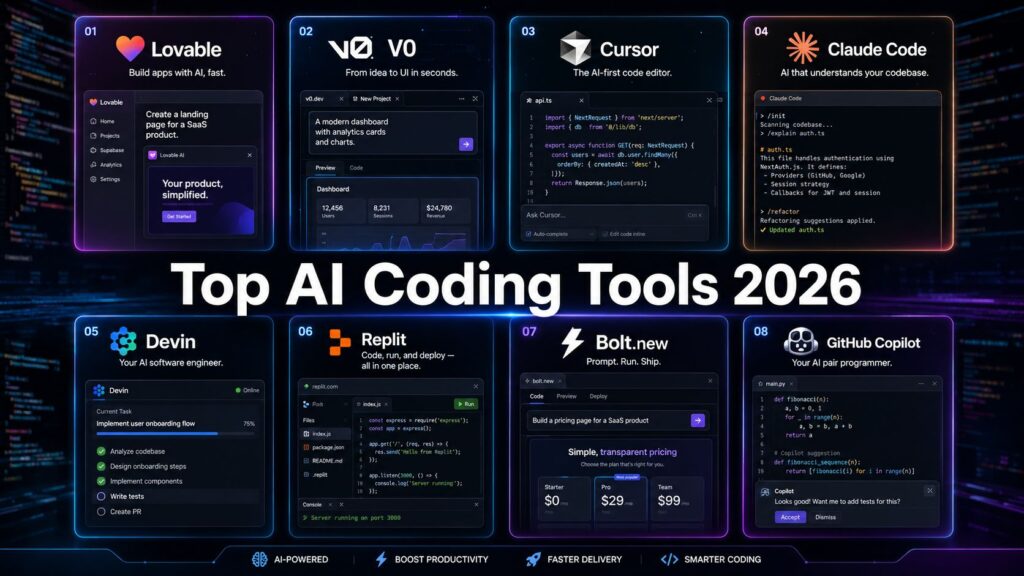
From vibe coding to autonomous agents — the AI tools reshaping how software gets built in 2026.
Best AI Tools For Developers
Chapters
- Top Vibecoding Tools for Building Digital Products
- Lovable.dev
- V0 by Vercel
- Cursor
- Claude Code
- Devin
- Replit
- Bolt.new
- GitHub Copilot
- Comparing the Best AI Coding Tools in 2026
- Final Thoughts
Top Vibecoding Tools for Building Digital Products {#top-vibecoding-tools}
There was a time when building software meant years of learning — mastering syntax, debugging cryptic errors, and memorizing documentation. Today, a founder with no coding background, a designer with an idea, or a product manager with a vision can turn a plain English description into a working digital product in under ten minutes.
That shift has a name: vibe coding.
The term was coined by Andrej Karpathy — OpenAI co-founder and former Tesla AI head — and became Collins Dictionary’s Word of the Year in 2025. By 2026, it is no longer a novelty or a party trick. It is a $4.7 billion industry. Ninety-two percent of US developers now use AI coding tools daily. Forty-one percent of all code written globally is AI-generated. And perhaps the most striking statistic of all: 63% of vibe coding users are non-developers.
These tools have democratized software creation in a way that nothing else has. But with eight or more serious contenders in the market, choosing the right tool is not obvious. Pick the wrong one, and you might build something that looks impressive in a demo but collapses under real-world conditions. Or you might reach for an enterprise-grade tool when all you needed was a quick prototype.
This article covers the top eight AI coding and design tools in 2026 — their ideal use cases, their real pitfalls, and an honest summary of who each one is actually built for. At the end, we will compare them side by side and share a winning strategy that works whether you are a first-time builder or a seasoned engineering team.
Let us get into it.
1. Lovable.dev {#lovable}
If you have ever wished someone could just listen to your idea and hand you a working app, Lovable.dev comes the closest to making that wish real.
Lovable is a full-stack AI app builder designed from the ground up for non-technical users. You describe what you want — a SaaS dashboard, a booking system, a project tracker — and Lovable generates a complete, visually polished application within minutes. Login screens, database integration, responsive UI, basic CRUD operations — all of it, from a single text prompt. Under the hood, Lovable runs on Claude (Anthropic’s model), which is part of why the generated code tends to be cleaner than many competitors.
One tester who put Lovable through its paces described typing a description into the chat and, four minutes later, finding “an app — login screen, dashboard, a form, a table — strikingly attractive, the kind of interface that would look credible in a screenshot.” That combination of speed and visual quality is Lovable’s core proposition.
Importantly, Lovable integrates with GitHub and allows full code export. You are not locked in. You can start on Lovable, then hand the codebase off to developers or continue building in a proper dev environment when complexity demands it.
Ideal For
Lovable is best suited for:
- Non-technical founders who need to validate an MVP without hiring a developer
- Designers who want to turn mockups and wireframes into functional products
- Product managers who need a working prototype to present to stakeholders
- Early-stage entrepreneurs with limited budget and limited time who need to move fast
The tool shines brightest in that pre-revenue, pre-investment window where the goal is learning fast, not building perfectly. It gives non-technical people genuine creative agency over their product for the first time.
Pitfalls
Lovable has real limitations that you should understand before committing to it:
- Complex logic is where it struggles: Multi-tenant architecture, custom APIs, advanced role-based permissions, real-time features — as your product’s business logic gets more sophisticated, Lovable begins to show its seams. It is a tool for simple to medium complexity, not enterprise-grade systems.
- Cost can escalate quickly: The free plan is genuinely limited. Once you start iterating seriously — regenerating sections, adding features, fixing inconsistencies — paid usage adds up. Budget accordingly.
- Hallucinated features: Lovable sometimes generates UI that looks like it works but doesn’t. Buttons that appear functional, forms that seem to submit — but the underlying logic is broken. Manual testing every feature is not optional; it is essential.
- Vendor dependency risk: The more deeply you build on Lovable without exporting, the more dependent you become on their platform. Export early and often.
Summary
Lovable is the most accessible and visually impressive AI app builder for non-technical users in 2026. If your goal is to validate an idea, generate a demo for investors, or launch a simple SaaS product without a developer, Lovable is your first stop. Just be realistic: once your product needs serious scale, complex logic, or custom infrastructure, you will need to graduate to a proper engineering environment.
Best for: Non-technical founders, MVPs, rapid prototyping
Starting price: ~$20/month
Underlying AI: Claude (Anthropic)
2. V0 by Vercel {#v0}
V0 is Vercel’s answer to the vibe coding wave — and it is deliberately, unapologetically narrow in scope. This tool does one thing and does it exceptionally well: generating React and Next.js components.
When you describe a UI to V0 — a data table, a pricing page, a modal dialog, an authentication flow — it produces production-ready React code with a live preview. You can copy that code directly into your Next.js project. If you are already in the Vercel ecosystem, the workflow feels almost seamless. No context switching, no translation layer.
V0 pairs especially naturally with Tailwind CSS, which it uses by default in generated components. The output is idiomatic, readable, and the kind of code a decent frontend developer would not be embarrassed to ship.
Ideal For
V0 is purpose-built for:
- Frontend developers working in React who want to skip boilerplate and generate starting points for components instantly
- Next.js developers who want to accelerate their UI development without sacrificing code quality
- Startups and agencies that do rapid UI prototyping before handing off to developers
- Design engineers who work in Figma and want to convert designs into working code quickly
The key word throughout is “developers.” V0 assumes you know React. It does not hold your hand, explain the generated code, or handle your deployment. It generates a component and trusts you to know what to do with it.
Pitfalls
V0’s focus is both its greatest strength and its sharpest limitation:
- React and Next.js only: If your stack is Vue, Angular, Svelte, or plain HTML/CSS, V0 simply is not the right tool. It is built for the React ecosystem and nothing else.
- No backend: V0 generates frontend components. Database design, API development, authentication logic, server-side processing — all of that is your problem. V0 does not touch it.
- Not for non-technical users: The generated code looks like code. If you are not a developer, V0’s output will feel foreign and unusable. This is explicitly a developer-first tool.
- Component scope, not application scope: V0 builds components, not complete applications. If you need a multi-page app with state management, routing, and data fetching all wired together, V0 alone will not get you there.
Summary
V0 by Vercel is a precision instrument for frontend developers in the React ecosystem. Within its specific domain, it is one of the most useful AI tools available — fast, high-quality output, and a workflow that integrates naturally with professional development. Outside that domain, it has little to offer. Know your stack, know your use case, and V0 will accelerate you significantly.
Best for: React and Next.js developers, UI component generation
Starting price: Free tier; Pro ~$20/month
Underlying AI: Custom model (Vercel)
3. Cursor {#cursor}
Cursor is the benchmark for professional developers in 2026. Its numbers speak plainly: $2 billion in ARR and a $29.3 billion valuation — figures that represent genuine adoption by engineers who code for a living, not curiosity installs.
Cursor is a fork of VS Code. If you already use VS Code — and most developers do — the transition is close to frictionless. Your extensions work. Your keybindings work. Your muscle memory works. The difference is that Cursor has built AI into the core of the editor rather than bolting it on as a plugin. Here, AI is a first-class feature.
The centerpiece is Cursor’s Composer interface, which enables multi-file changes within a single conversation. You can instruct Cursor: “Add JWT authentication to this app — update the middleware, the user model, the API routes, and the tests accordingly” — and Cursor coordinates changes across all those files intelligently. This is not autocomplete. This is something closer to having a senior developer pair programming with you at machine speed.
Cursor also offers flexibility in model choice that few competitors match. In 2026, it supports Claude 4 Sonnet, GPT-4o, Gemini 2.5 Pro, and GPT-5 (in beta) — letting you switch models depending on the task. Fast iteration? GPT-4o. Complex reasoning and refactoring? Claude 4 Sonnet or GPT-5.
Developers who have configured .cursorrules files — project-level instruction sets that tell Cursor about your codebase conventions, architecture, and preferences — report PR review comment reductions of around 70%. The quality of AI output scales directly with the quality of context you provide.
Ideal For
Cursor is for:
- Professional software engineers who want to supercharge their existing workflow without changing it
- Teams doing complex, multi-file refactoring or large-scale feature development
- Full-stack developers working across multiple languages and frameworks
- Senior developers who refuse to sacrifice code quality, control, or architectural integrity for AI convenience
Pitfalls
Cursor is powerful but comes with real caveats:
- Learning curve to unlock full potential: Getting the most from Cursor means writing good
.cursorrules, learning how to prompt effectively for multi-file changes, and understanding which model to use for which task. Beginners often underuse it significantly. - Context window management: In very large codebases, Cursor can lose the thread. You need to actively manage what context you are providing. This is a skill that takes time to develop.
- Overkill for simple tasks: If you need a landing page or a quick utility script, Cursor is bringing a surgical suite to a paper cut. Lovable or Bolt will serve you faster.
- Cost for teams: At $40/user/month for the Teams plan, large engineering organizations will feel it in the budget.
Summary
Cursor is the tool professional developers actually use when they want AI to make them meaningfully better at their job. It does not replace the engineer — it amplifies them. The distinction Cursor draws is important: it is a tool for writing code with AI, not for having AI write code for you. If you already know how to code and want to work at a fundamentally higher level of output, Cursor is your answer.
Best for: Professional developers, complex multi-file projects, AI-native IDE experience
Starting price: Free; Pro $20/month; Teams $40/user/month
Underlying AI: Claude 4 Sonnet, GPT-4o, GPT-5, Gemini 2.5 Pro
4. Claude Code {#claude-code}
Claude Code is Anthropic’s entry into agentic coding — and it is genuinely different from everything else in this list. Where Cursor is an IDE, Claude Code is a terminal-first agentic coding tool. No graphical interface. No visual editor. Just you, your terminal, and Claude working autonomously through your codebase.
That description might sound sparse, but the reality is sophisticated. Claude Code is designed for developers who want to delegate complex engineering work — not line-by-line assistance, but entire task execution. You assign a goal: “refactor this authentication system,” “add comprehensive test coverage to this module,” “migrate our REST API to GraphQL” — and Claude Code plans the work, reads the relevant files, implements changes, runs tests, catches errors, and iterates until the task is complete.
Claude Code runs on Claude Sonnet 4, which is specifically optimized for coding tasks and consistently ranks among the top performers on coding benchmarks in 2026.
A standout feature of Claude Code is CLAUDE.md support — a project-level configuration file where you document your codebase conventions, architectural decisions, preferred libraries, and coding standards. Claude Code reads this file and uses it to inform every decision. The better your CLAUDE.md, the better every output it produces.
Ideal For
Claude Code is the right choice for:
- Terminal-native developers who prefer the command line and find GUI editors unnecessary friction
- Backend engineers who want to delegate entire tasks rather than receive line-level suggestions
- Teams undertaking large-scale refactoring, codebase migration, or systematic quality improvements
- Power users who want to build automated engineering workflows and pipelines
- Developers who want cutting-edge agentic capabilities without committing to a monthly IDE subscription
Pitfalls
- No visual interface: Developers who rely on visual editing, file tree navigation, or syntax highlighting in a GUI environment will find Claude Code stark and uncomfortable at first.
- Requires technical proficiency: This is not a beginner tool in any sense. Understanding the output, validating changes, and catching edge cases all require real engineering knowledge.
- Task definition is everything: The quality of Claude Code’s output scales directly with the quality of your task description. Vague instructions produce mediocre results. Precise, well-scoped tasks produce excellent ones.
- Context management at scale: In very large codebases, managing what Claude Code can see and access requires deliberate attention.
Summary
Claude Code is a genuine leap forward for developers who are comfortable in the terminal and want the most capable agentic coding tool available. For complex automation, large-scale refactoring, and systematic codebase work, it competes directly with Cursor at the top of the market. If you are already in the Anthropic ecosystem or want to push the boundaries of what AI-assisted development can look like, Claude Code is essential.
Best for: Terminal-native developers, complex automation, large-scale refactoring
Pricing: API usage-based
Underlying AI: Claude Sonnet 4
5. Devin {#devin}
Devin’s story is one of the most dramatic in recent AI history. When Cognition Labs unveiled it in March 2024 as “the world’s first AI software engineer,” the technology world reacted with a mixture of fascination and anxiety. The demo showed an AI autonomously writing code, debugging failures, learning new technologies, and completing real freelance jobs on Upwork.
Two years later, Devin is a commercial product with real paying customers. And Devin 2.0 addressed the single biggest barrier to adoption: price. The original $500/month plan put it firmly in enterprise territory. The new Core plan starts at $20/month — a fundamental shift that brought Devin within reach of individual developers and small teams for the first time.
What makes Devin fundamentally different from everything else in this list?
Every other tool here helps you write code. Devin writes code for you — autonomously, end to end, with minimal supervision.
You assign Devin a task through Slack, a GitHub issue, a Jira ticket, or the Devin web interface. It takes over from there. Inside a sandboxed virtual machine — with its own code editor, terminal, and browser — Devin breaks the task into a step-by-step plan, explores the codebase, implements changes, runs tests, handles failures, iterates, and submits a pull request. You review the PR. That is your involvement.
Devin 2.0 introduced multi-agent capabilities: you can now spin up multiple Devin instances simultaneously working on different tasks. Ten tickets in your backlog? Ten Devins working in parallel.
Another standout feature is Devin Wiki, which automatically analyzes your entire codebase and generates continuously updated architecture documentation — refreshing every few hours. For engineering teams where documentation perpetually lags behind code, this feature alone is compelling.
The ACU (Agent Compute Unit) pricing model is worth understanding clearly: 1 ACU equals approximately 15 minutes of active Devin work, priced at $2.25 each on the Core plan. The Team plan at $500/month includes 250 ACUs with a slight per-unit discount, plus parallel sessions, API access for CI/CD integration, and structured PR workflows.
Ideal For
Devin delivers the clearest ROI for:
- Engineering teams of five or more people with a steady backlog of well-defined tasks — migrations, refactoring, dependency upgrades, bug fixes with clear reproduction steps
- CTOs and tech leads who want to multiply their team’s output without proportionally growing headcount
- Startups that need senior-level engineering work done but cannot yet afford senior engineers
- Enterprises running repetitive development tasks at scale who can write precise specifications
The pattern that emerges from real-world users is consistent: teams that invest time in writing tight, specific task descriptions get dramatically better results. One enterprise team reported: “Our senior engineers now spend about two hours a week reviewing Devin’s PRs instead of doing the work themselves. It’s like having a team member who never complains about boring tasks.”
Pitfalls
Devin is not for everyone, and the mismatches are worth being clear about:
- Vague tasks burn ACUs expensively: One team burned through $300 in ACUs in their first week by assigning poorly-scoped tasks. Once they learned to write precise specifications, costs became predictable. The lesson: invest time in task definition before running Devin.
- Open-ended creative work is not its strength: Devin performs best on clearly defined, repeatable work. Novel architectural design, ambiguous product problems, or highly creative development produce inconsistent results.
- Agent speed, not assistant speed: Devin takes minutes to hours on tasks where other tools respond in seconds. Developers used to instant autocomplete find this mentally uncomfortable at first.
- Technical oversight is non-negotiable: If you cannot evaluate whether Devin’s generated code is correct, secure, and efficient, you should not be deploying it. Devin is a force multiplier for competent engineers, not a replacement for engineering judgment.
- Integration complexity: Connecting Devin to proprietary internal systems requires custom configuration work that can take time.
Summary
Devin 2.0 is the most advanced autonomous AI coding agent in 2026. Its reduction from $500 to $20/month made it genuinely viable for a much wider audience. For engineering teams with clearly defined backlogs, the ROI case is real — some enterprises have reported efficiency gains exceeding 10x on eligible task categories. But Devin is not a junior developer you can point at ambiguous problems and walk away. It is a sophisticated tool that rewards precise thinking, tight specifications, and human engineering oversight.
Best for: Engineering teams, well-scoped backlog tasks, autonomous end-to-end execution
Starting price: Core $20/month + $2.25/ACU; Team $500/month (250 ACUs included)
Underlying AI: Proprietary (Cognition AI)
6. Replit {#replit}
Replit has undergone one of the most interesting evolutions of any tool in this space. It started as an online IDE — a browser-based place to write and run code without installing anything locally. By 2026, it has become something more unusual: a platform where the majority of users never write traditional code at all.
Seventy-five percent of Replit users describe what they want, and Replit Agent builds it. The platform supports over 50 programming languages, hosts millions of templates that any user can fork and modify, and has an enormous community that creates leverage for beginners in a way that more professional tools simply do not.
Replit Agent 3 — the 2026 version — builds complete web applications from natural language prompts, automating the development lifecycle from initial scaffolding through deployment. You do not need to set up a local environment, configure build tools, or manage infrastructure. You describe the app, Replit builds it, and it runs in the cloud.
Ideal For
Replit’s sweet spot covers:
- Students and beginners who are learning to code and need a forgiving, accessible environment across multiple languages
- Educators who need to give students a live coding environment without requiring local setup
- Hobbyists and experimenters who want to quickly try an idea across different languages and frameworks
- Small teams that need quick scripts, proof-of-concept backends, or API prototypes without production complexity
- Non-technical founders who want to explore an idea for the first time before investing in a more serious tool
Replit is the most forgiving environment in this list. You can make mistakes, break things, and learn from them without any lasting consequences. For someone in the early stages of learning — either learning to code or learning to think computationally — that forgiveness is genuinely valuable.
Pitfalls
Replit’s accessibility comes with real constraints when you start thinking about serious production use:
- Apps run on Replit’s infrastructure: This creates platform dependency. Migrating your application to AWS, Vercel, or your own servers requires technical work that Replit’s abstraction layers make harder, not easier.
- Performance on free tier: Free-tier Replit apps experience cold starts, slow execution, and sleep modes that make them feel unpolished in front of real users.
- Not where you build your startup: Replit is excellent for figuring out what you want to build. It is not optimized for building what you will actually ship to production users at scale.
- Pricing at scale: Power users who push Replit’s capabilities will find the paid plans can become expensive relative to self-hosted alternatives.
Summary
Replit in 2026 is the best tool for learning, experimentation, and early-stage exploration. It is the sandbox where you figure out what you want to build before committing to build it properly. If you are a beginner, a student, or someone exploring a new programming language or framework, Replit’s combination of accessibility, community, and AI capability is hard to beat. Just be prepared to graduate to a more serious environment when your project is ready for production.
Best for: Students, beginners, rapid experimentation, multi-language exploration
Starting price: Free; Hacker plan ~$7/month
Underlying AI: Proprietary and third-party mix
7. Bolt.new {#bolt}
Bolt.new is the speed champion of this list. Where Lovable emphasizes visual polish and Replit emphasizes learning and accessibility, Bolt.new is optimized for one thing above all else: getting to a working prototype faster than any other tool.
Built by StackBlitz, Bolt provides a full-stack development environment that runs entirely in your browser. You describe what you want, Bolt generates it, and you see a live preview immediately — no local setup, no installation, no waiting. Independent testers have clocked Bolt building initial applications in around three minutes, often faster than Lovable, which already felt fast.
That speed makes Bolt the natural home for hackathons, investor demos, and the critical early conversations where you need to show someone what you mean rather than describe it. When you are pitching an idea in a meeting that afternoon and you want to have something to click through, Bolt can produce it between breakfast and lunch.
Bolt integrates with GitHub and supports code export — so what you build in Bolt is not a dead end. If you decide to continue developing the project seriously, you can take the exported codebase into Cursor, your local development environment, or hand it off to developers.
Ideal For
Bolt.new is the right tool for:
- Hackathon participants who need a working, demonstrable prototype built overnight
- Non-technical founders creating something clickable for investor presentations
- Freelancers and consultants who rapid-prototype concepts for clients before scoping larger work
- Developers and designers who want to quickly test whether an idea is worth pursuing before investing serious engineering time
- Anyone who needs to show, not tell
The use case is crystal clear: when speed is the priority and the goal is a functional demonstration, Bolt.new has no peer.
Pitfalls
Bolt’s speed-first design has corresponding limitations:
- Maintainability is the real issue: Bolt-generated code is excellent for demos and hackathons. It is less well-suited for long-term maintenance. As the codebase grows and requirements evolve, many teams find they need to rebuild in a more controlled environment rather than continue from where Bolt left off.
- Context loss in long sessions: In extended development sessions or when building complex applications, Bolt can lose coherence — generating code that conflicts with earlier decisions or ignores existing implementations.
- Credit-based model: Bolt uses a credit system for generation, and heavy usage — especially iterating rapidly on a complex project — can exhaust credits on paid plans faster than expected.
- Backend sophistication is limited: Custom API design, complex database operations, and non-trivial third-party integrations push Bolt toward its limits.
Summary
Bolt.new is the “let me show you what I’m thinking” tool in 2026. For hackathons, demos, early-stage validation, and any situation where speed matters more than sustainability, it is genuinely unbeatable. Use it to build the thing that proves your idea is worth building properly. Then graduate to proper development tools when you are ready to build the real thing.
Best for: Hackathons, investor demos, rapid prototyping, early-stage validation
Starting price: Free with credits; paid plans from ~$20/month
Underlying AI: Claude, GPT-4o
8. GitHub Copilot {#copilot}
GitHub Copilot is the most widely used AI coding tool in the world — and it earned that position not by being the flashiest or most powerful option, but by being the most deeply embedded in developers’ existing workflows.
Copilot is an IDE extension, available for VS Code, JetBrains IDEs, Neovim, Visual Studio, and others. You do not switch to a new tool to use Copilot. You install it inside the tools you already use, and it starts helping immediately: inline code suggestions as you type, natural language commands to generate or refactor code, chat-based assistance for debugging and explanation.
The model flexibility in 2026 is genuinely impressive. Copilot now supports GPT-4o, Claude 4, Gemini 2.0 Flash, and o3-mini — giving developers and teams the ability to select the right model for different task types without switching platforms.
In May 2025, GitHub launched Copilot Workspace, which extended Copilot’s capabilities toward autonomous execution: GitHub issues can be assigned directly to AI agents, which plan, implement, and submit pull requests. This moves Copilot meaningfully closer to Devin territory within the GitHub ecosystem.
For enterprise organizations, GitHub Copilot Enterprise offers the most robust data governance options in this category. Code privacy, GDPR compliance, no retention for model training, and enterprise SLAs — these matter enormously to large organizations, and Copilot delivers them with the backing of Microsoft.
Pitfalls
Copilot’s broad appeal comes with a common misunderstanding that frustrates many new users:
- It is not an app builder: The most frequent beginner mistake is installing Copilot and expecting it to generate a complete application from a single prompt. It will not. Copilot is an AI assistant for developers who are already writing code — not a replacement for knowing how to code.
- Context is limited to open files: Copilot uses the context of your currently open files. In large, complex codebases with many interdependencies, suggestions can be suboptimal if the relevant files are not open.
- Less autonomous than alternatives: Compared to Cursor’s Composer or Devin’s autonomous agent model, Copilot remains fundamentally reactive. It helps you when you ask; it does not independently plan and execute multi-step tasks.
- Team pricing adds up: At $19/user/month for the Business plan, large engineering organizations will notice the line item. Enterprise pricing is custom and typically higher.
Summary
GitHub Copilot is the right choice for engineering teams that want standardized, well-governed AI assistance integrated into their existing developer tooling without disruption. Its combination of IDE-native integration, multi-model support, enterprise data governance, and GitHub ecosystem alignment makes it the safest and most scalable choice for organizations that need to roll out AI coding assistance across many developers consistently. Individual power users who want maximum autonomy will find Cursor or Claude Code more capable — but for team standardization, Copilot is difficult to beat.
Best for: Enterprise teams, GitHub-heavy workflows, standardized IDE-native AI assistance
Starting price: Individual ~$10/month; Business $19/user/month; Enterprise custom
Underlying AI: GPT-4o, Claude 4, Gemini 2.0 Flash, o3-mini
Comparing the Best AI Coding Tools in 2026 {#comparison}
With each tool examined individually, here is a direct comparison across the dimensions that matter most:
| Tool | Best For | Technical Level Required | Starting Price | Full-Stack? |
|---|---|---|---|---|
| Lovable.dev | Non-technical founders, MVPs | None | ~$20/month | Yes |
| V0 by Vercel | React/Next.js UI components | Developer | Free / $20/month | Frontend only |
| Cursor | Professional developers | Expert | Free / $20/month | Yes (with your code) |
| Claude Code | Terminal users, complex automation | Expert | API usage-based | Yes (agentic) |
| Devin | Engineering teams, autonomous tasks | Developer + oversight | $20/month + ACUs | Yes (autonomous) |
| Replit | Students, beginners, experimentation | Beginner | Free / $7/month | Yes |
| Bolt.new | Hackathons, demos, quick prototypes | None to beginner | Free / $20/month | Yes |
| GitHub Copilot | Enterprise teams, IDE users | Developer | ~$10/month | No (assistance only) |
The Winning Strategy
The most important insight from watching how successful builders, developers, and teams use these tools in 2026 is this: there is no single best tool. The teams and individuals winning in this environment are not picking one tool and committing to it exclusively. They are deploying tools strategically across phases of their work.
Here is the framework that consistently produces results:
Validation
At this stage, you have an idea. You do not yet know if it is worth building. Your goal is to learn as fast as possible with as little investment as possible.
Use Lovable or Bolt.new. Describe your idea in plain English. Within ten minutes you will have something clickable. Show it to potential users. Watch how they interact with it. Listen to what they say and what they do not say. If the idea holds up, continue. If it does not, you have lost ten minutes — not ten weeks.
Both Lovable and Bolt support code export and GitHub integration. Nothing you build here is necessarily throwaway. But treat it as throwaway until you have real evidence it is worth investing in.
Scale
Your idea has been validated. Real users want this. Now you need to build it properly.
For developers: Transition to Cursor or Claude Code. Set up a proper development environment. Write a .cursorrules file that captures your architecture, conventions, and preferences. If you started in Lovable or Bolt, use their code export as a starting reference — or start fresh with better structure. This is where you build the thing that will actually run in production.
For non-technical founders: Bring in engineering talent. A developer working with Cursor or Claude Code will move dramatically faster than you can on Lovable alone. Your role shifts from building to directing — and that is appropriate at this stage.
For teams: Evaluate Cursor Teams or GitHub Copilot for standardization across your engineers. Assign Devin to well-defined backlog tasks that are eating your engineers’ time. Use V0 for any React component work to speed up your frontend development.
Optimization
Your product is live. Users are coming. Now you are focused on moving faster, reducing technical debt, and scaling your engineering capabilities.
Cursor Rules: Invest time in writing comprehensive .cursorrules files. The better the context you give Cursor about your codebase and conventions, the better every output it produces. Teams that do this well report dramatic improvements in AI output quality.
Claude Code for automation: Identify repetitive engineering work — writing tests, updating documentation, migrating dependencies, improving code coverage — and delegate it to Claude Code as structured agentic tasks. Well-scoped automation tasks are where Claude Code genuinely shines.
Devin for the backlog: If your team has a backlog full of clearly-scoped tickets that are blocking velocity — dependency upgrades, code migrations, boilerplate generation, bug fixes with clear reproduction steps — Devin can work through that backlog in parallel, freeing your senior engineers for harder problems.
V0 for every UI component: Any time a new React component needs to be built, start with V0. Review the output, adapt it to your design system, and merge. The time savings compound quickly across a large frontend codebase.
Final Thoughts {#final-thoughts}
The AI coding tool landscape in 2026 is genuinely breathtaking — and genuinely overwhelming. Lovable hands non-technical founders creative agency over their products. Cursor makes professional developers measurably better at their craft. Devin works through engineering backlogs autonomously while your team focuses on harder problems. Claude Code refactors entire codebases from the terminal. Bolt.new builds a working demo in three minutes.
But after examining all eight tools in depth, a few things remain true despite all of this progress.
The value of ideas has not changed. These tools have democratized execution. They have not democratized insight. Identifying the right problem, understanding your users deeply, making good product decisions — these still require human judgment, and they are still the most valuable things in building a product.
Engineering expertise has not become obsolete. What these tools have automated is the most junior layer of engineering work: boilerplate, scaffolding, repetitive pattern application, well-defined bug fixes. The harder parts — system architecture, security design, performance optimization, scalability planning — still require genuine expertise. In many ways, they require it more now, because the pace at which junior-level work gets done has accelerated dramatically.
Learning still matters. Developers who use AI to generate code without understanding what it produces are in a fragile position. When the tool fails, when something breaks in an unexpected way, when you need to debug at 2am before a launch — your own understanding is what saves you. Use these tools to go faster, but do not let them atrophy your ability to think through code independently.
And most critically: not using any of these tools is the worst option.
That statement is not hype. It is the practical reality of competing in a market where your competitors have integrated AI assistance into every layer of their development process. The developers, teams, and founders who have leaned into these tools are not going back — and they are operating at a pace that manual-only workflows simply cannot match.
So here is the bottom line, as clearly as possible:
- If you are non-technical with an idea to validate: Start with Lovable or Bolt.new. Do it today.
- If you are a professional developer: Try Cursor this week. Configure your
.cursorrules. Give it a real project. - If you are a team lead with a backlog problem: Evaluate Devin. Start with the Core plan and one well-defined ticket.
- If you are a React developer: Use V0 for every UI component. The habit pays for itself in hours.
- If you are terminal-native and want maximum agentic capability: Claude Code is built for you.
The barrier to building software in 2026 is the lowest it has ever been. The barrier to building great software — software that solves real problems, that users trust, that scales and endures — remains as high as it has ever been.
Use these tools to clear the first barrier faster. Then bring everything you have to the second one.
MORE FROM OUR BLOGS
17 BEST AI VIDEO GENERATORS IN 2026

Pingback: ChatGPT Ads Manager 2026
Pingback: Reflection AI