Google Vids AI Avatars
Google Vids AI Avatars: How They Work and What to Watch For
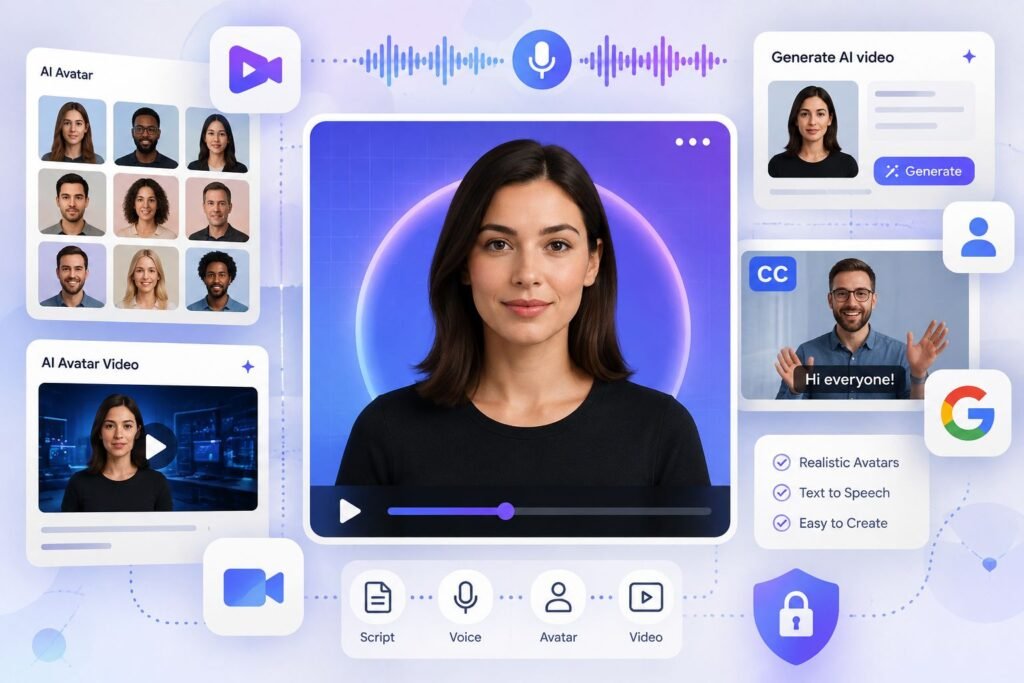
Google added a feature to Vids on July 16, 2026 that lets you build a digital version of yourself from a selfie and a short voice recording. That avatar can then read a script, present a video, or narrate a slideshow, without you ever standing in front of a camera again.
This isn’t a gimmick bolted onto an existing tool. It’s part of a bigger shift: Google folded its Gemini Omni model into Vids at the same time, meaning the avatar feature and Vids’ text-to-video generation now run on the same underlying AI system. If you’ve used Gemini Omni elsewhere, in the Gemini app or through Google Flow, this is that same model showing up inside a much more accessible, Workspace-based tool.
Here’s what the feature actually does, what it costs once you go past the free tier, and one rule creators publishing avatar videos to YouTube need to know about before they hit upload.
What the Avatar Feature Actually Does
You upload a selfie and record a short voice sample. Google Vids uses that to generate a digital avatar that looks and sounds like you, which you can then direct to read any script you write, in your own voice, without recording anything else yourself.
This sits inside a broader set of updates Google shipped to Vids this year. Alongside the avatar feature, Vids now includes Veo 3.1 for generating short video clips from text prompts or a single image, Lyria 3 for AI-composed background music, and Gemini Omni for combining a written prompt with reference images to generate or edit a video. That last piece is what makes the avatar feature more than a static talking head: you can ask Omni to swap a background, adjust lighting, or refine a scene using plain instructions, then have your avatar narrate over the result.
The practical use case Google is clearly targeting is corporate and educational video, training modules, project updates, lesson explainers, the kind of content that used to require either a camera setup or an expensive avatar tool built for enterprise training teams. That context matters, because it shapes both the feature’s strengths and its real limitations.
What’s Free and What Isn’t
Every Google account holder gets access to a free tier: Veo 3.1 clip generation, basic timeline editing, and a limited number of AI-generated clips per month. Independent testing has estimated the free allowance lands around 10 clips per month, enough for occasional social content but not for a daily posting schedule.
Full avatar creation with directorial control, meaning the ability to script and direct your avatar rather than using it in a more limited capacity, sits behind a paid Google AI subscription. Google’s higher AI Ultra and Workspace AI Ultra tiers unlock significantly more generation capacity, reportedly up to 1,000 Veo videos a month, aimed squarely at teams and heavy users rather than someone posting a couple of clips a week.
If you’re evaluating whether the paid tier is worth it, the free version is genuinely enough to test whether the avatar’s realism and your workflow fit before committing to a subscription. That’s worth doing before you commit to any recurring cost.
How This Compares to Dedicated Avatar Tools
Google Vids isn’t the only place to build an AI avatar, and it’s worth knowing where it sits relative to the tools built specifically for this purpose.
| Tool | Starting Price | Custom Avatar Cost | Best For |
|---|---|---|---|
| Google Vids | Free (limited), included in Google AI subscriptions | Included in avatar feature | Workspace users, internal training, quick social clips |
| HeyGen | $29/month (Creator plan) | $99 one-time (lower tiers) | Marketing content needing the most realistic, expressive avatars |
| Synthesia | Around $18/month (Starter, billed annually) | $1,000/year add-on | Enterprise training and courses needing a large avatar library |
The pattern here is fairly clear. HeyGen and Synthesia are purpose-built platforms with years of avatar refinement, larger avatar libraries, and features like multilingual dubbing that Vids doesn’t attempt to match. Google Vids’ advantage isn’t matching that depth, it’s that the avatar feature comes bundled inside a tool many people and businesses already have access to through an existing Google account or Workspace subscription, with no separate platform to learn or pay for on top of what you’re likely already using.
If your priority is the most polished, expressive avatar output for external marketing content, a dedicated tool is still probably the stronger choice. If you want a quick, no-additional-cost way to add a presenter to internal or lower-stakes video content, Vids is a reasonable starting point specifically because it’s already there.
The YouTube Rule Most People Making Avatar Videos Will Miss
This is the part worth slowing down on if you’re planning to publish avatar-narrated content publicly rather than keeping it internal.
YouTube’s current policy requires a disclosure label on any content using AI-generated or AI-altered media that could realistically be mistaken for genuine, unaltered footage. A realistic AI avatar reading a script, especially one modeled on a real person’s face and voice, falls squarely into that category. Publishing avatar content to YouTube without applying that label is a compliance gap, independent of how good or useful the content itself is.
The label itself doesn’t hurt reach or monetization eligibility. Google Vids can publish directly to YouTube from inside the editor, but the publishing shortcut doesn’t apply the disclosure label for you automatically, that’s a separate step you still need to complete in YouTube’s own upload settings. Skipping it is one of the more avoidable mistakes a creator can make when adopting this feature, since the fix takes seconds once you know it’s required.
Where This Feature Genuinely Helps
A few situations line up well with what Vids’ avatar feature is actually built for.
Internal training and onboarding videos benefit from not needing a camera, a quiet room, or repeated takes every time a process changes, you edit the script and regenerate rather than reshooting. Educators producing lesson explainers can use an avatar to narrate content consistently across many videos without recording fresh audio for each one. Teams making recurring project updates or recaps get a fast way to produce a presenter-led video without pulling someone in front of a camera every time.
What it’s less suited for is anything relying on genuine emotional nuance or performance, marketing content meant to build a strong personal connection with an audience still tends to benefit from a real, unscripted human presence, and even the most advanced avatar tools on the market still show some artificiality in exactly those moments.
Frequently Asked Questions
Is the Google Vids AI avatar feature actually free? A limited version is available to any Google account holder at no cost, including basic Veo 3.1 clip generation. Full avatar creation with directorial control is included in Google’s paid AI subscription tiers rather than the completely free plan.
Do I need Google Workspace to use it? No. The core avatar and video generation features are available to personal Google accounts, though Workspace and higher AI subscription tiers unlock significantly higher usage limits, useful for teams producing video regularly.
Does my avatar video need a disclosure label on YouTube? Yes, if the avatar is realistic enough that a viewer could mistake it for genuine footage of you. YouTube’s Altered or Synthetic Content policy requires this disclosure regardless of which tool created the avatar.
How realistic are Google Vids avatars compared to HeyGen or Synthesia? Independent comparisons of dedicated avatar platforms generally rate HeyGen and Synthesia ahead on avatar realism and expressiveness, since avatar quality is their core product focus. Vids’ avatar feature is newer and built as one part of a broader video tool rather than a specialized avatar platform.
Can I use someone else’s photo to create an avatar? Google’s stated intent for this feature is creating a digital version of yourself using your own selfie and voice. Using another person’s likeness without consent raises separate ethical and, depending on jurisdiction, legal concerns well beyond Google’s terms of service.
What happens if I go over the free monthly clip limit? You’d need to upgrade to a paid Google AI tier to continue generating clips that month, or wait until the following month when the free allowance resets.
The Bottom Line
Google Vids’ avatar feature isn’t trying to out-realism HeyGen or Synthesia, and for most people it doesn’t need to. It’s a free, already-integrated option for internal and lower-stakes video that would otherwise require either a camera or a separate paid tool. If you’re already producing avatar content for public-facing platforms like YouTube, the technology itself is only half the picture, remembering the disclosure requirement is the part that actually protects the channel you’re building.
RELATED
MORE FROM US
AI CONTENT DEMONITIZATION WHATS REAL VS WHATS PANIC

Pingback: Gemini App Integrations: Now Book Dinner, Doctor & Tickets